
 Black Steel Doors
 Woodstock Campers
 Phillips Joinery

A good negative keywords strategy comes down to three habits: read your search terms report on a schedule, add negatives in the right match type at the right level, and keep shared lists tidy so you never block searches that make you money. Do that and your budget goes on people who might actually buy from you, rather than on someone searching for a free template at 2am.
This guide walks through how to do it properly, in plain English, with a few examples you can steal. If you have ever looked at a Google Ads account and wondered why ‘cheap’, ‘jobs’ and ‘how to fix my own’ keep eating your budget, you are in the right place.
TL;DR
- Negative keywords tell Google which searches should never trigger your ads, so you stop paying for clicks that were never going to convert.
- Start with the search terms report, add obvious junk first, then review it on a regular schedule rather than once and forget.
- Match type matters: negatives do not match close variants, so you must add plurals, synonyms and misspellings yourself.
- Use shared lists for exclusions that apply everywhere (jobs, free, DIY) and keep campaign-specific negatives at campaign or ad group level.
- Go easy. Too many negatives can choke your reach and quietly cost you good customers.
Table of Contents
- What negative keywords do, and why they matter
- How to find negative keywords
- Negative keyword match types, explained
- Campaign level, ad group level and shared lists
- A negative keywords strategy that lasts
- Mistakes that quietly cost you money
- Negative keywords on different campaign types
- A worked example: a local service business
- Our perspective
- Want a second pair of eyes on your account?
- FAQ
- Sources
What negative keywords do, and why they matter
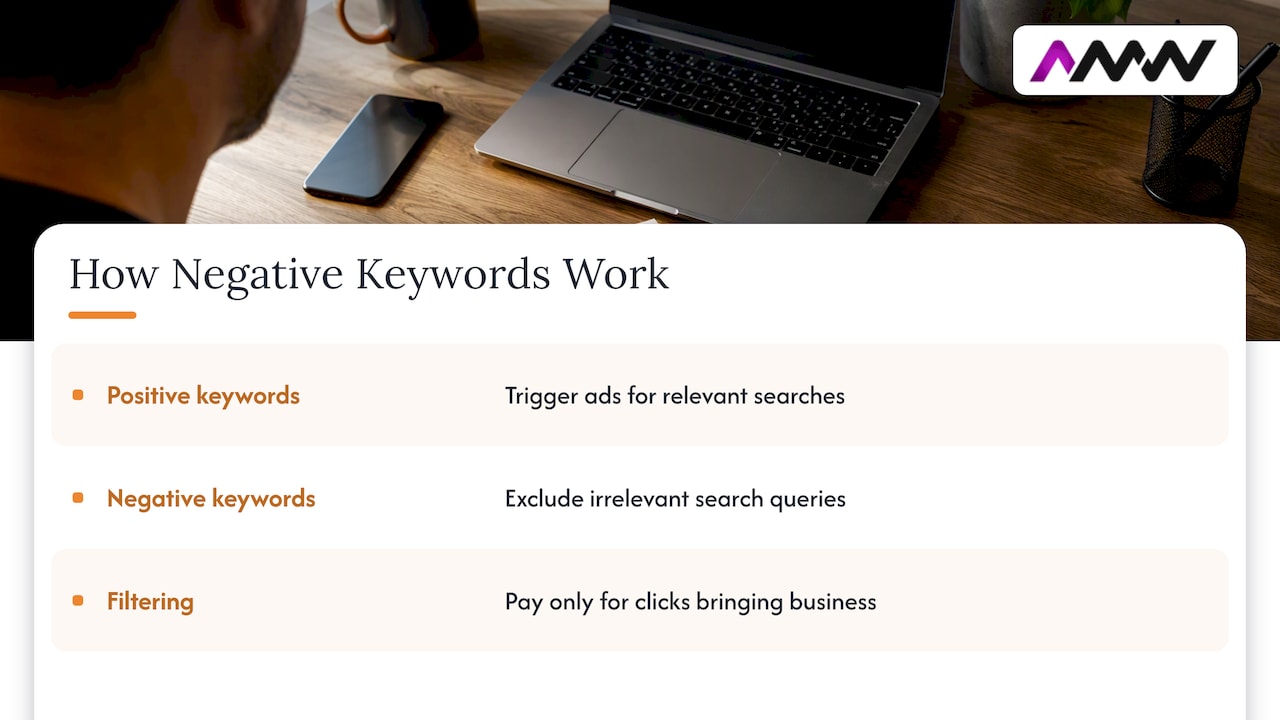
Negative keywords are search terms you exclude so your ads do not appear for irrelevant queries. Google’s own help pages describe them as a way to focus your ads on traffic that is more relevant to what you offer, which in turn helps your return on investment.
The logic is simple. Your positive keywords say ‘show my ad when someone searches for this’. Negative keywords say ‘but not when it looks like that’. Google also frames it as a money question: by filtering out searches that are not relevant or specific enough, you pay only for clicks that bring in business.
Take a UK accountancy firm bidding on ‘small business accountant’. Without negatives, that ad may also appear for ‘accountant jobs’, ‘accountancy course London’ or ‘free accounting software’. Each of those clicks costs money and none of them are looking to hire an accountant. Three negatives (jobs, course, free) and the problem shrinks overnight.
If you are still getting your head around the wider picture, our guide to what PPC advertising is covers the basics, and what Google Ads really costs UK businesses shows why every wasted click stings.
How to find negative keywords
You do not need to guess. Your account already tells you exactly what people typed. There are four reliable places to look.
1. The search terms report
This is the main event. Google recommends reviewing the search terms report, which shows the actual queries that triggered your ads. Look for terms that seem related to what you sell but are not quite right, then add them to an ad group, a campaign or a negative keyword list.
A simple routine that works:
- Open the report for the last 30 days (or the last week if spend is high).
- Sort by cost, highest first. The expensive offenders deserve attention before the pennies.
- Mark anything clearly irrelevant. Be ruthless with ‘jobs’, ‘salary’, ‘free’, ‘diy’, ‘course’ and ‘training’ if you sell a service.
- Mark anything borderline separately. Do not block it yet. Watch it for another cycle.
- Add the clear junk as negatives, then note the date so you can see the effect later.
2. Brainstorm before you launch
Before a campaign goes live, sit down with a cuppa and think about what the wrong searcher looks like. A kitchen fitter might not want ‘second hand’, ‘worktop only’ or ‘kitchen showroom jobs’. A B2B software firm might not want ‘student’, ‘open source’ or ‘crack’. Five minutes of brainstorming here saves you a week of paying for nonsense.
Google suggests having at least three negative keywords per ad group to filter out irrelevant or non-specific searches. Treat that as a floor, not a ceiling.
3. Ask your sales team and your inbox
Your customer service and sales people hear the wrong enquiries daily. If three people a week ring asking for something you do not offer, find out what they searched for and exclude it. This is the cheapest research you will ever do.
4. N-gram analysis for bigger accounts
When an account is large, reading rows gets painful. N-gram analysis breaks search terms into single words and short word groups, then adds up cost and conversions for each. Documentation on n-grams explains how aggregating at account and campaign level can show terms with lots of traffic but poor conversion, which are strong negative candidates.
You can do a rough version in a spreadsheet. Export search terms, split them into words, and use a pivot table to total cost and conversions per word. If ‘free’ appears in forty queries, has cost you real money and has never converted, your answer is sitting there.
Negative keyword match types, explained
This is where most people trip up. Negative match types work differently from the positive ones you are used to, and the difference can cost you.
According to Google’s documentation, the three types behave like this:
- Negative broad match: your ad is blocked if the search contains all of your negative terms, in any order.
- Negative phrase match: your ad is blocked if the search contains your terms in that exact sequence (extra words around them are fine).
- Negative exact match: your ad is blocked only when the search is that exact query with no extra words.
Here is a quick way to remember it with an example, using the negative term ‘cheap boots’:
| Match type | How you write it | Blocks ‘cheap boots’ | Blocks ‘cheap leather boots’ | Blocks ‘boots cheap’ |
|---|---|---|---|---|
| Negative broad | cheap boots | Yes | Yes | Yes |
| Negative phrase | “cheap boots” | Yes | No | No |
| Negative exact | [cheap boots] | Yes | No | No |
The trap is that negatives do not use close variant matching. In Google’s words, you need to add synonyms and singular or plural versions separately if you want them excluded. So blocking ‘job’ does not automatically block ‘jobs’, and it will not block ‘vacancies’ or ‘careers’ either. Add each one.
Which match type should you pick?
A sensible default for most advertisers is phrase match, with exact match for surgical blocks. One paid search specialist quoted by Search Engine Land suggests that adding negatives as phrase match saves management time compared with more granular methods. Exact match is less restrictive, but it needs repetition because word order and plurals must line up.
Here is how we think about it in practice:
- Broad negative for single words that are never wanted, such as ‘jobs’ or ‘free’ (if you never offer anything free). Use with care: one word can block a lot.
- Phrase negative for short patterns like ‘how to’ or ‘second hand’. Google notes that keywords of two or three words tend to work most effectively.
- Exact negative when a search term is bad in one form but a close cousin is good. ‘Accountant salary’ is no use to you, but ‘accountant for salary sacrifice’ might be a lead.
Campaign level, ad group level and shared lists
Where you put a negative matters as much as what it says.
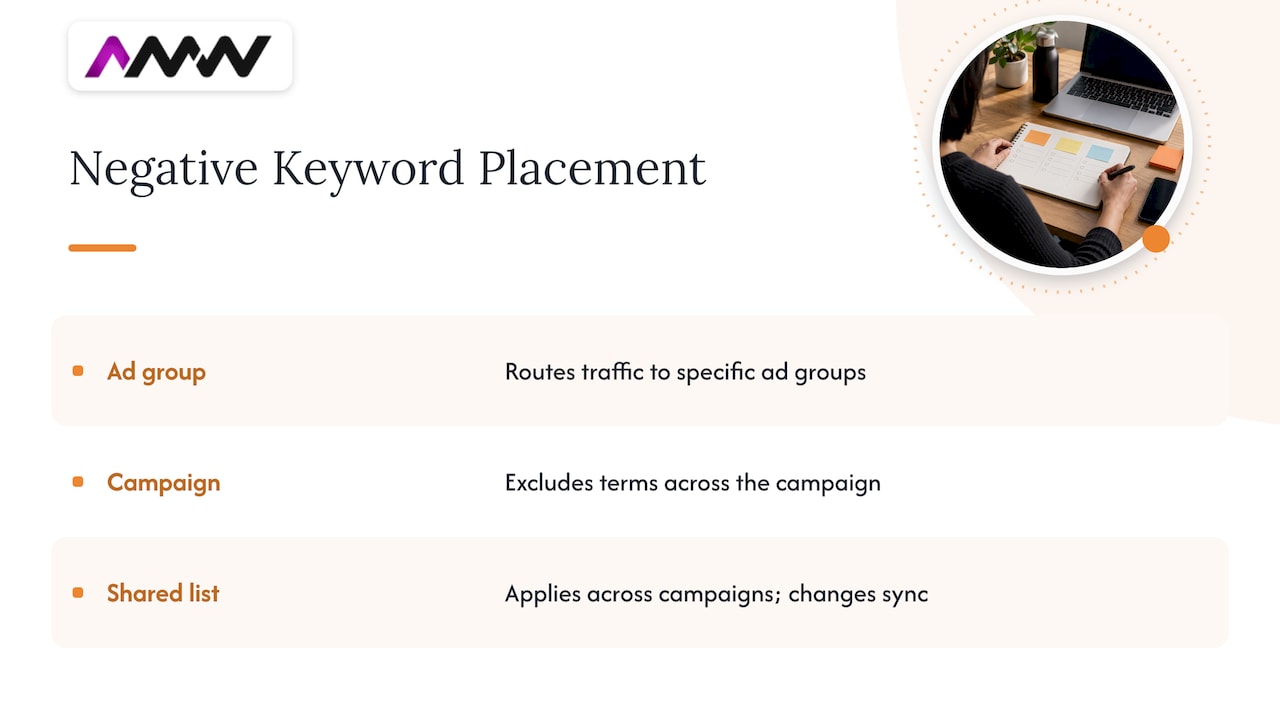
Ad group level keeps two similar ad groups from competing. If one ad group targets ‘running shoes’ and another targets ‘trail running shoes’, you might add ‘trail’ as a negative on the first so that traffic flows to the more specific ad group.
Campaign level suits exclusions that apply to everything inside that campaign, such as a location-specific brand term you do not want to trigger.
Shared negative keyword lists are for exclusions you want everywhere. Google explains that a list lives in the Shared library, can be applied to several campaigns, and any change you make is reflected in every campaign using it. For agencies and larger advertisers working across accounts, the same page covers how to use lists from a manager account.
A starter set of shared lists
Don’t try to build one giant list. Three or four themed lists are easier to maintain:
- Job seekers: jobs, careers, vacancies, salary, apprenticeship, internship, CV.
- Freebie hunters: free, template, download, pdf, sample (check these against what you actually offer).
- DIY and learners: how to, tutorial, course, training, diy,学 (no, we don’t need that one, but you get the idea) and ‘for beginners’ if you sell to professionals.
- Competitor and brand names you never want to trigger on, where it makes sense for your account.
Name your lists clearly, such as ‘Global: Job seekers’, so that whoever opens the account in six months does not have to play detective.
A negative keywords strategy that lasts
The one-off clean-up is satisfying, but the strategy is the routine. Here is a simple cadence that suits most UK small and mid-sized accounts.
Weekly (10 minutes)
Skim the search terms report for new high-cost, zero-conversion queries. Add the obvious ones. Newly launched campaigns and big budget changes deserve this attention most, because Google is still learning where your ads should appear.
Monthly (30 to 45 minutes)
Do a proper review. Sort by cost and by conversions, check your shared lists, and look for patterns rather than single terms. If five different queries contain ‘cheap’, maybe ‘cheap’ itself needs a negative. Review your existing negatives too, and remove any that are no longer right for your offer. A month is the cadence one major guide recommends too, and it is a good habit.
Quarterly (an hour)
Step back. Has your offer changed? Seasonal terms that were poison in January might be gold in November. Did you start selling something new? A negative added two years ago for a product you have since launched is a silent leak in the other direction.
What ‘good’ looks like
You are not trying to get the search terms report to zero junk, because that is impossible. You are looking for these signs:
- The share of spend going to clearly irrelevant queries trends down.
- Click-through rate and conversion rate on your core campaigns improve, because the traffic is better matched.
- Cost per conversion comes down without a fall in conversion volume. If volume drops sharply at the same time, you may have over-blocked.
Note the date you add each batch of negatives and compare the two weeks before and after. It is crude, but it tells you whether the work paid off.
Mistakes that quietly cost you money
Blocking too much
It is tempting to go on a negative keyword spree. Resist. Google warns that using too many negative keywords can make you overly restrictive, so your ads reach fewer customers than intended. A single broad negative like ‘cheap’ might wipe out searches from buyers who simply like a good price and will happily pay for your premium service. Look at the converting queries before you block a word.
Forgetting about variants
We covered this above, but it bears repeating: negatives do not match close variants. Plurals, misspellings and synonyms are all separate entries. If ‘jobs’ is on your list and ‘job’ is not, some junk will slip through.
Using broad match negatives on phrases that need order
A broad negative of ‘free trial’ blocks any search containing both words in any order. That could include ‘trial of free-to-use options’, but also ‘start free, no trial period’. Think about whether the words need to be together. If they do, use phrase match.
Blocking your own best terms by accident
A negative added at campaign level can silently conflict with a positive keyword in the same campaign. If a keyword suddenly shows no impressions, check the negatives. Google Ads will usually flag conflicts, so look at the diagnostics before assuming the market has dried up.
Set and forget
The single biggest mistake. Search behaviour changes, your offer changes, and Google’s matching changes. A list that was perfect last spring is probably missing a dozen new terms now.
Negative keywords on different campaign types
Search campaigns are where negative keywords are most familiar, and everything above applies most directly there. If you also run Meta Ads, note that this is a Google Ads mechanic: social platforms use audience exclusions and placement controls instead. Bing’s own ad platform has its own version of negatives, and our practical guide to Bing display advertising is a good place to start if you are branching out.
Better negatives also pair nicely with better landing pages. If the right people click but bounce, your problem is no longer wasted clicks, it is the page. Our piece on PPC landing pages that match ads and load fast picks up from here.
A worked example: a local service business
Imagine a Milton Keynes electrician running a Search campaign on ‘electrician near me’, ‘emergency electrician’ and ‘rewire house’. After a month, the search terms report shows these costly, non-converting queries:
- ‘electrician apprenticeship’ and ‘electrician jobs’ (job seekers)
- ‘how to rewire a plug’ and ‘diy rewire’ (learners)
- ‘electrician training course’ (learners)
- ‘electrician salary uk’ (research)
- ‘car electrician’ (wrong trade entirely)
Here is the plan:
- Add ‘jobs’, ‘apprenticeship’, ‘salary’, ‘training’, ‘course’ and ‘diy’ to a shared ‘Global’ list as phrase or broad negatives, since this business never wants them anywhere.
- Add ‘how to’ as a phrase negative.
- Add ‘car’ as a campaign-level negative, plus ‘auto’ and ‘vehicle’.
- Keep ‘cheap electrician’ under watch rather than blocking it, because a handful of those searches did convert.
Total time: about twenty minutes. Next month, the report is noticeably cleaner and the spend is working harder. The same method applies to a solicitor, a software company or a boutique hotel. Only the words change.
Our perspective
We look at a lot of Google Ads accounts, and the pattern is rarely a lack of budget. It is a lack of attention. An account that has been running for a year with no negative keyword review usually has a quiet drain sitting in its search terms report, and the owner has no idea.
Our view is that negatives are the most undervalued part of PPC. They are not glamorous, nobody screenshots them for LinkedIn, but they are the difference between an account that pays for itself and one that feeds Google. Done well, they also make everything else easier: your reporting is cleaner, your ad copy speaks to people who actually want what you do, and your landing pages convert better because the right people arrive.
We build negative keyword reviews into our PPC management as a routine, not a one-off, and we report on what changed so you can see it. No long-term contracts, and no mystery. If we are blocking a term, you can see why.
Amir
Want a second pair of eyes on your account?
If your search terms report makes you wince, or you simply do not have the hours to review it every month, we can help. Our team manages Google Ads and Meta Ads for UK businesses, with transparent reporting and no long-term contracts. Have a look at our PPC campaign management page to see how we work, or get in touch through our services page to talk about the rest of your marketing.

Running ads in London or Milton Keynes? See how we approach PPC in London and PPC in Milton Keynes. If you are still planning your campaign, our PPC campaign setup steps are a good place to begin.
FAQ
Can you give me an example of a negative keyword?
If you sell premium wedding photography, ‘free’ is a classic negative keyword. Someone searching ‘free wedding photographer’ is not going to book you, so adding ‘free’ stops your ad appearing for that search. ‘Jobs’, ‘course’ and ‘diy’ are other common examples for service businesses.
How many negative keywords should I have?
There is no magic number. Google suggests at least three per ad group as a starting point, and most active accounts end up with far more as the search terms report reveals new junk. The aim is quality over quantity: too many can be overly restrictive and cut your reach.
Do negative keywords match plurals and misspellings?
No. Negative keywords do not use close variant matching, so ‘job’ will not block ‘jobs’, and synonyms are not covered either. Add singular, plural and common misspelled versions as separate negatives if you want them all excluded.
Should I use shared negative keyword lists?
Yes, for exclusions you want across several campaigns, such as job seekers or DIY searches. A change to the list updates every campaign using it, which saves time and avoids gaps. Keep campaign-specific negatives in the campaign or ad group itself.
How often should I review my negative keywords?
A quick weekly skim of the search terms report and a proper monthly review suit most accounts. New campaigns and big budget changes need closer attention. Revisit your whole list quarterly to remove anything that no longer fits your offer.
Sources
- About negative keywords, Google Ads Help
- Refining your keywords and bids, Google Ads Help
- Get negative keyword ideas using the search terms report, Google Ads Help
- Use negative keyword lists across your accounts, Google Ads Help
- Search terms and n-grams, help centre
- Negative keywords in paid search: 6 strategies, Search Engine Land
Recommended
- Audience targeting explained: a practical guide for UK marketers
- What Google Ads really costs UK businesses in 2026
- Segment first, then match channel: remarketing strategies that convert
- Facebook Ads Not Delivering? 5 Minute Ads Manager Checks for UK Teams
Our free marketing audit looks at your site, your ads and your content, and comes back with a 30 day plan. No pitch deck.

Founded AMW Media in 2024 and runs strategy, paid media and the CRM builds. The reason everything here is in house and measured in revenue. Meet the team.