
 Black Steel Doors
 Woodstock Campers
 Phillips Joinery
TL;DR:
- Proper preparation, tracking, and relevant landing pages are essential to successful PPC campaigns.
- Choosing the right campaign type and structured account setup improves targeting and performance.
- Continuous human oversight, testing, and adjustment are vital for sustained PPC success.
Poorly configured PPC campaigns burn through budget faster than almost any other marketing mistake. Businesses in competitive industries frequently lose thousands before realising their targeting is too broad, their tracking is broken, or their ad copy simply does not match what users want. The difference between a campaign that delivers measurable growth and one that drains your budget often comes down to following a clear, systematic process. This guide walks you through every essential step, from laying the groundwork and choosing the right campaign type, to building compelling assets, configuring tracking, and monitoring performance once you go live.
Key Takeaways
| Point | Details |
|---|---|
| Set clear goals first | Define precise business objectives and target audience before creating your PPC campaign. |
| Get your tracking right | Never launch without solid conversion tracking; it’s crucial for measuring and improving performance. |
| Structure for agility | Organise campaigns and ad groups by intent and brand focus for easier optimisations. |
| Test and adapt continually | Regularly test new ads and targeting, and adjust based on data for ongoing growth. |
What you need before you start
Rushing into Google Ads without proper preparation is one of the most common and costly mistakes marketing managers make. Before you configure a single setting, you need to gather the right assets, data, and tools. Think of this stage as building the foundation of a house. Skip it, and everything built on top becomes unstable.
Start by defining your business goals with precision. Are you driving online sales, generating leads, increasing footfall, or building brand awareness? Each goal demands a different campaign approach, and conflating them leads to muddled targeting and wasted spend. Alongside goals, you need a clearly defined target audience, including demographics, location, device preferences, and buying behaviour.
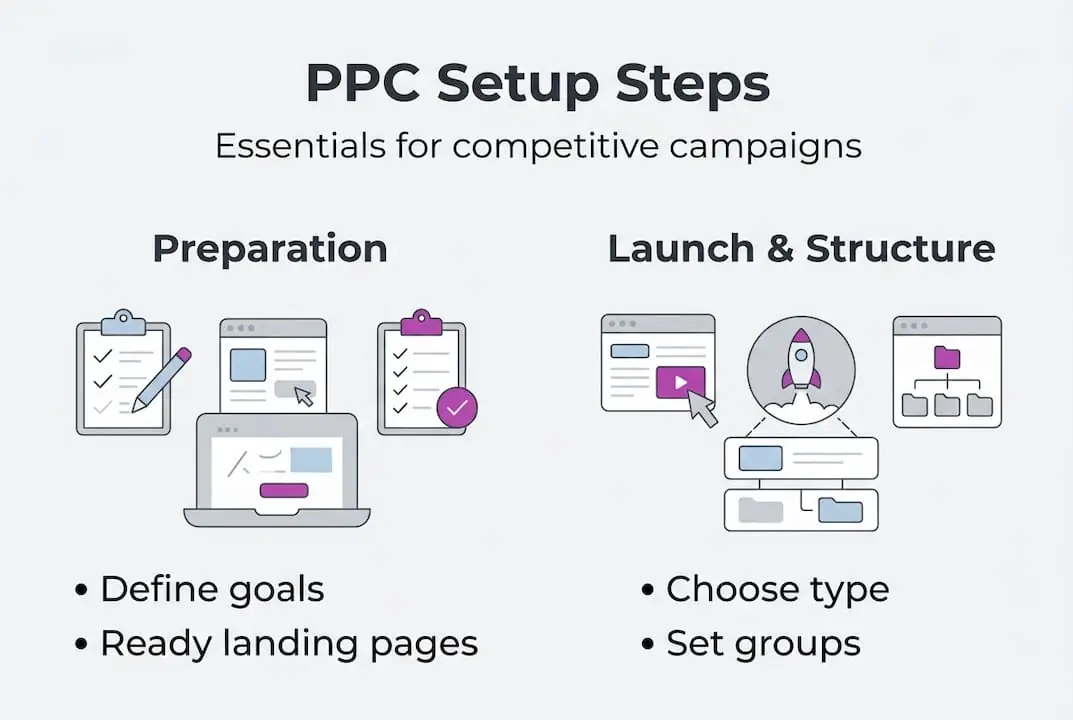
Your landing pages must be ready before your ads go live. Sending paid traffic to a generic homepage is a reliable way to destroy your quality score and conversion rate simultaneously. Each campaign should point to a dedicated, relevant landing page that mirrors the ad’s message. If you need a broader introduction to PPC advertising before diving into setup specifics, that context will sharpen your preparation considerably.
Here is a summary of the core tools and requirements you need in place:
| Requirement | Purpose | Tool or source |
|---|---|---|
| Google Ads account | Campaign creation and management | Google Ads platform |
| Google Analytics integration | Audience and behaviour data | Google Analytics 4 |
| Keyword research data | Targeting and ad group structure | Google Keyword Planner, SEMrush |
| Conversion tracking | Measuring real campaign results | Google Tag Manager |
| Competitor ad intelligence | Informing bidding and copy strategy | Auction Insights, SpyFu |
| Dedicated landing pages | Matching ad intent to user experience | Your website or CMS |
The campaign setup guidance from Google Ads reinforces that having these assets in order before launch is not optional. It is the baseline for any campaign that stands a chance of performing.
Key assets to confirm before you proceed:
- Defined budget with daily and monthly caps
- Audience personas with demographic and interest data
- A shortlist of primary and secondary keywords
- Conversion actions identified (purchases, form fills, calls)
- Competitor analysis completed
Pro Tip: Before setting up your campaign, spend time reviewing your top three competitors’ ads using tools like SpyFu or the Google Ads Transparency Centre. Note their headlines, offers, and calls-to-action. This intelligence shapes smarter bidding decisions and reveals gaps you can exploit.
Choosing campaign type, goals and structure
Once your requirements are in place, the next decision is arguably the most strategic one you will make: which campaign type to use, and how to structure your account for clarity and control.
Google Ads offers several core campaign types, each suited to different objectives:
| Campaign type | Best use case | Pros | Cons |
|---|---|---|---|
| Search | Lead generation, direct sales | High intent, text-based targeting | Competitive CPCs in some sectors |
| Display | Brand awareness, retargeting | Wide reach, visual format | Lower intent, higher bounce rates |
| Shopping | E-commerce product sales | Visual product listings, strong ROI | Requires product feed setup |
| Video | Awareness, storytelling | Engaging format, YouTube reach | Harder to measure direct conversions |
| Performance Max | Broad conversion goals | Cross-channel automation | Less granular control |
For most businesses entering competitive markets, starting with Search campaigns targeting high-intent keywords gives you the most direct path to measurable results. Performance Max is powerful but works best once you have existing conversion data to feed the algorithm.
Structuring your account logically is just as important as choosing the right type. The Google Ads account structure guidance recommends organising campaigns by business logic rather than by internal team preferences. A practical structure follows these steps:
- Separate brand and non-brand campaigns to protect your brand terms and control bidding independently.
- Organise ad groups by theme or product category, not by keyword volume alone.
- Align each ad group tightly to a single topic so ads remain highly relevant to searches.
- Map funnel stages to campaigns: awareness, consideration, and conversion should not share the same budget pool.
- Use shared budgets carefully and only where campaign goals overlap.
This structure also makes reporting far cleaner. When something underperforms, you can isolate the issue quickly rather than sifting through a tangled account.

Pro Tip: Resist the temptation to create broad ad groups covering multiple themes. Granular ad groups with tightly clustered keywords consistently outperform broad ones because relevance drives quality score, and quality score directly affects your cost per click.
Building asset groups and writing effective ad copy
With your structure and objectives confirmed, attention shifts to the actual content users will see. This is where many technically sound campaigns fall flat. Great targeting with weak creative is still a losing strategy.
Google requires a minimum number of assets per ad group to serve responsive search ads effectively. Follow this sequence when building yours:
- Write at least four distinct headlines (up to 30 characters each), varying your messaging across features, benefits, and calls-to-action.
- Craft at least two descriptions (up to 90 characters each) that expand on your headline’s promise.
- Add relevant images and logos if running Display or Performance Max campaigns.
- Include sitelink, callout, and structured snippet extensions to increase ad real estate and relevance.
- Ensure every asset connects logically to the landing page it points to.
The Google Ads campaign setup documentation specifies that creating asset groups with at least four headlines and multiple descriptions gives the algorithm more combinations to test, which improves performance over time.
Common mistakes that undermine even well-structured campaigns:
- Sending ad traffic to a homepage instead of a dedicated landing page
- Using the same headline across all assets with no variation
- Ignoring keyword insertion, which reduces ad relevance to specific searches
- Writing vague calls-to-action like “learn more” when “get a free quote today” is far more compelling
- Neglecting mobile ad preview, where truncation can completely change your message
For inspiration on what strong creative looks like in practice, reviewing successful PPC asset group examples gives you a real-world benchmark. If you want to improve the visual and written quality of your assets more broadly, exploring ad creative production tips is a worthwhile next step.
Pro Tip: Rotate your ad assets actively for the first four weeks. Google’s “optimise” setting will favour top performers quickly, but manually reviewing lower-performing variants often reveals fixable issues rather than weak concepts.
Essential targeting, tracking and launch execution
With creative assets ready, the focus shifts to targeting configuration and ensuring your campaign launches with the infrastructure to generate meaningful data from day one.
Follow this sequence to configure targeting and launch correctly:
- Set your bid strategy based on your goal: use Maximise Clicks for initial data gathering, then transition to Target CPA or Target ROAS once you have at least 30 to 50 conversions recorded.
- Define locations precisely. Targeting the whole of the UK when you serve only London wastes budget immediately.
- Set language targeting to match your audience, not just the language of your ads.
- Build your keyword list with a mix of exact, phrase, and broad match types, and add negative keywords from the outset to filter irrelevant traffic.
- Layer audience signals on top of keyword targeting to refine who sees your ads, particularly useful in competitive sectors where CPCs are high.
Conversion tracking is not a nice-to-have. Without it, every optimisation decision is made blind. You cannot tell which keywords drive sales, which ads generate leads, or whether your budget is being spent on the right audience segments. The Google Ads account structure resource is explicit: set up conversion tracking and use Auction Insights to monitor competitor activity before you spend a single pound.
“Conversion tracking is the single most important technical step before launching any PPC campaign. Without it, you are optimising for activity rather than outcomes.”
Smart Bidding can accelerate performance significantly, but only once your account has sufficient data. Deploying it on a fresh campaign with no conversion history forces the algorithm to guess, which typically inflates costs. The paid advertising benefits of a well-tracked campaign become apparent quickly once real data starts flowing.
In the first two weeks after launch, monitor these early warning signs daily: a click-through rate below 2% on Search campaigns, a quality score below 5 on core keywords, and a cost per conversion significantly above your target. Each signals a specific problem that requires a targeted fix, not a budget increase.
What most PPC guides miss: the power of adaptation and oversight
Every PPC guide covers setup mechanics. Few discuss what actually separates campaigns that sustain performance from those that plateau after a promising start.
Automation is a tool, not a strategy. Smart Bidding, Performance Max, and responsive ads are powerful, but they optimise for the signals you give them. If your conversion tracking is misconfigured, your audience data is thin, or your landing pages convert poorly, automation accelerates those problems rather than solving them.
Working with competitive brands across multiple sectors, we have seen the same pattern repeatedly. The accounts that perform best over twelve months are not the ones with the cleverest initial setup. They are the ones with consistent, informed human oversight. Weekly reviews of search term reports, regular negative keyword additions, and deliberate testing of new ad angles compound into a significant competitive advantage.
Automation handles scale. Human judgement handles nuance. For advanced digital campaign management in competitive sectors, the combination of both is what delivers sustained results, not either one alone.
Take your PPC campaigns further with expert help
Following these steps gives you a strong foundation, but executing them consistently while managing a business or marketing team is a significant commitment. Even experienced in-house teams benefit from external oversight to catch inefficiencies and identify opportunities that familiarity can obscure.
At AMW Media, we manage PPC campaigns for ambitious brands in competitive industries, combining rigorous account structure with ongoing creative testing and performance analysis. Our certified team handles everything from initial setup to continuous optimisation, ensuring your budget works as hard as possible. Whether you need full PPC management services or want to integrate paid advertising into a broader strategy, our complete marketing services are built to deliver measurable growth. Get in touch to discuss how we can support your next campaign.
Frequently asked questions
What is the most important step in PPC campaign setup?
Setting up accurate conversion tracking is critical, as it ensures you can optimise for real results rather than just clicks. Without it, as Google’s guidance confirms, campaign optimisation is essentially blind.
How many ads should I create per ad group?
Aim for at least three ads per ad group to maximise testing opportunities and improve quality scores. Google recommends this minimum to give the algorithm sufficient variation to optimise from.
When should I use Smart Bidding in PPC?
Introduce Smart Bidding once you have accumulated at least 30 to 50 conversions, as automation performs best with sufficient data to learn from. Always monitor results closely to prevent wasted spend during the learning phase.
How do I monitor my PPC competitors effectively?
Use Auction Insights within Google Ads to see where you overlap with competitors and identify keyword gaps worth targeting. Pair this with third-party tools like SpyFu for a fuller picture of competitor strategy.
Setup changes when the target is one city rather than the whole country: tighter geography, fewer keywords, more weight on the landing page. That is the approach behind our Milton Keynes campaigns.
Recommended
- What is PPC advertising? A 2026 guide for business growth
- Expert PPC Campaign Management London | AMW Media | AMW Media
- How to run successful social media campaigns for brand growth
- Why invest in content creation for competitive brand growth
Our free marketing audit looks at your site, your ads and your content, and comes back with a 30 day plan. No pitch deck.

Runs the content calendars and the community side of every social account, and keeps clients posted on what is going out and when. Meet the team.