
 Black Steel Doors
 Woodstock Campers
 Phillips Joinery
TL;DR:
- Most small business owners recognise the importance of having a website but struggle with where to begin.
- A successful website requires clear goals, a mobile-first design approach, and ongoing optimisation based on analytics.
Most small business owners know they need a website. What they’re less sure about is where to actually start. Learning how to design a website feels like it should be simple until you’re three browser tabs deep into a debate about hosting providers and wondering why your homepage looks like a school project from 2009. This guide cuts through that. You’ll get a clear, step-by-step approach to planning, building, and launching a website that works, without needing a computer science degree or a five-figure budget.
Key takeaways
| Point | Details |
|---|---|
| Start with clear goals | Define what your website must achieve before touching any design tools or templates. |
| Design for mobile first | The majority of web traffic comes from mobile devices, so small screens must come first. |
| Simplicity converts better | Personalised CTAs convert 202% better than generic ones, and fewer form fields mean more completions. |
| SEO belongs at the start | Baking in metadata, alt text, and semantic structure from day one saves significant rework later. |
| Treat your site as a product | An effective website requires ongoing, analytics-driven improvement rather than a one-off build. |
How to design a website: start with solid preparation
Before you pick a colour scheme or browse templates, you need to know what your website is actually for. That sounds obvious, but skipping the discovery phase is the single most common reason websites underperform. A bakery’s site needs to drive foot traffic and online orders. A freelance consultant’s site needs to generate enquiries. A product business needs sales. Each of those goals shapes every decision that follows, from the layout to the calls-to-action to the copy on the homepage.
Once you know your purpose, you can set specific goals. Rather than “get more customers,” try “generate 20 enquiry form submissions per month” or “sell 50 products in the first quarter.” Specific goals let you measure whether your website is working, and they give you a clear direction when you’re faced with design decisions later.
Choosing your domain name and hosting
Your domain name is your address on the internet, so make it count. A good domain is short, easy to spell, and closely tied to your brand name. Avoid hyphens and numbers if you can, as they create confusion when people try to type your address from memory. Check whether your preferred domain is available across social media platforms at the same time, since brand consistency across channels matters enormously for recognition.
Hosting is where your website actually lives. For most small businesses, a managed hosting provider offers the right balance of performance and simplicity. Look for:
- Uptime guarantees of 99.9% or higher
- Automatic backups included as standard
- SSL certificates provided free or at low cost
- UK-based servers if your audience is primarily British, for better loading times
- Scalable plans that grow with your traffic
Speaking of SSL, securing your site with HTTPS is non-negotiable. HTTPS and SSL certificates are foundational to professional web design and keep browsers from flagging your site with a “Not Secure” warning that drives visitors straight to your competitors.
Pro Tip: Before you finalise your domain, search for matching social media handles on Instagram, Facebook, LinkedIn, and X. Securing them all under one consistent name saves a branding headache later.
Design principles that make websites engaging
There’s a difference between a website that looks nice and one that actually works. The best ones do both. Understanding a few core design principles will take your site from forgettable to effective.
Colour, typography, and visual hierarchy
Colour does more than decorate. A limited palette of two or three colours, used consistently, creates a sense of professionalism and makes your brand memorable. High contrast between text and background is not just a stylistic choice; it improves readability for everyone, including users with visual impairments. Avoid using more than two or three fonts across your site. A clear heading font paired with a readable body font is all you need.

Visual hierarchy guides visitors through your content in a logical sequence using size, position, and contrast. Your most important message should be the largest and most prominent element on any given page. Secondary information follows below or to the side. This creates an instinctive reading path without visitors even realising they’re being guided.
Mobile-first responsive design
This is not optional. Most web traffic comes from mobile devices, which means designing for small screens first and scaling up to desktop, rather than the other way around. A page that works beautifully on a 27-inch monitor but falls apart on a phone will lose the majority of your visitors before they’ve read a single sentence.
When testing responsive design, check these elements on an actual mobile device rather than just a browser preview:
- Button sizes (thumbs need more space than mouse pointers)
- Text legibility without zooming
- Navigation usability, particularly dropdown menus
- Image scaling and aspect ratios
- Form field size and keyboard triggers
Social proof and trust signals
Social proof placed near calls-to-action reduces hesitation and improves enquiry rates. A short client testimonial sitting just above your contact form, or a line of logos from brands you’ve worked with, reassures visitors at exactly the moment they’re deciding whether to get in touch. It’s one of the highest-return tweaks you can make.
Pro Tip: Use white space deliberately. An uncrowded page feels more premium and makes key messages stand out. Resist the urge to fill every gap.
Accessibility matters too. Using descriptive link text, ensuring sufficient colour contrast, and providing alt text on images widens your audience and keeps you on the right side of web accessibility guidelines.
Building your website: layout, content, and media
Now for the part most people think of as “the build.” The good news is that the tools available in 2026 are remarkably capable. Modern AI-powered website builders can deliver a finished, functional site in under an hour, making professional-quality web presence accessible for small businesses without large budgets.
Choosing your platform
Your choice of platform depends on your goals, your technical comfort, and how much you want to customise things. Here are the main options for small businesses:
- WordPress is the most widely used CMS in the world, with thousands of themes and plugins. It requires a little more technical confidence but offers the most flexibility, especially for SEO.
- Shopify is the go-to for product-based businesses. It handles payments, inventory, and shipping out of the box.
- Squarespace and Wix offer drag-and-drop simplicity with polished templates. Great for service businesses, portfolios, and local businesses that need a clean online presence quickly.
- Framer and Webflow are the choice for design-led builds, offering pixel-level control with no traditional coding required.
- AI-assisted builders like those powered by large language models can generate an initial site structure from a brief, which you then refine. Useful for getting something up fast.
Structuring your core pages
Every business website needs at least four pages to function effectively:
| Page | Primary purpose |
|---|---|
| Homepage | Communicate who you are, what you do, and what you want visitors to do next |
| About | Build trust through your story, values, and team |
| Services or products | Detail what you offer with clear pricing or pathways |
| Contact | Make it as easy as possible to get in touch or make a purchase |
Each page should have a single, clear purpose. A homepage with five different calls-to-action confuses visitors. One clear direction, whether that’s “book a call,” “view services,” or “shop now,” consistently outperforms a page that tries to do everything at once.
Writing copy that actually converts
Copy is where most DIY websites fall down. Generic phrases like “welcome to our website” or “we provide high-quality solutions” say nothing and convert nobody. Good website copy is specific, direct, and written from the visitor’s point of view. Start every page by answering the question your visitor is silently asking: “What’s in this for me?”
Authentic storytelling works particularly well for small businesses because it creates genuine connection. Your About page is not just a CV. It’s an opportunity to explain why you started, what you care about, and why that matters to your customers.
Optimising images and video
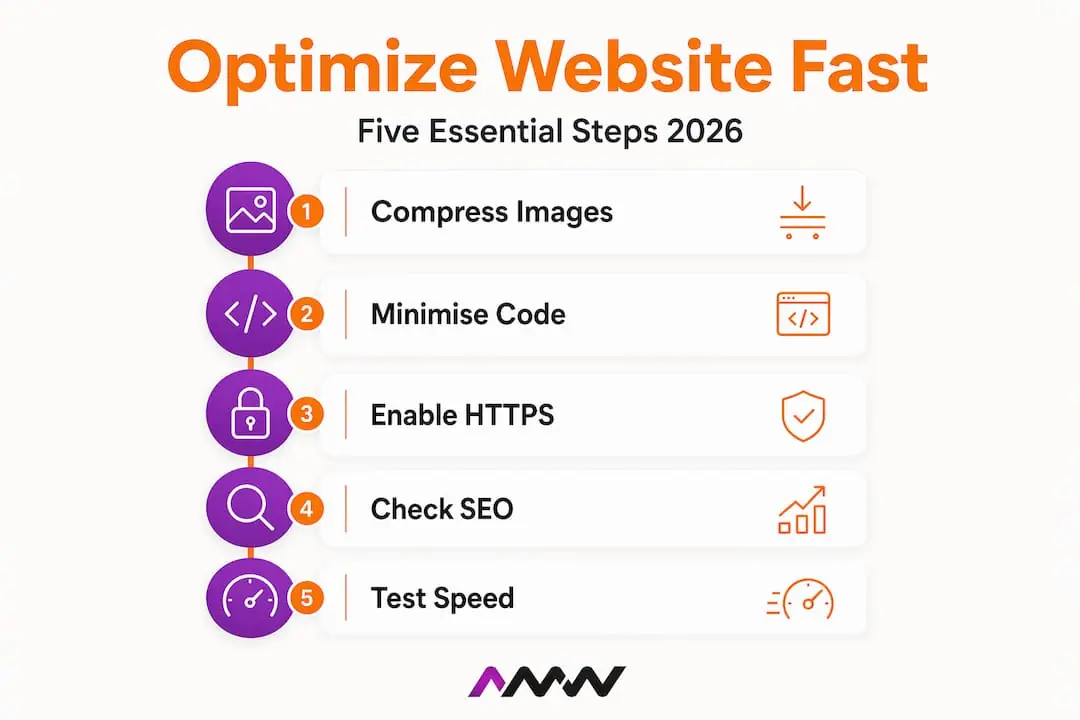
Large, uncompressed images are one of the most common causes of slow websites. Converting images to WebP format can reduce file sizes by up to 60% with no noticeable loss of quality, directly improving loading speeds and search rankings. Most modern website builders handle this conversion automatically, but it’s worth checking.
Video used well can be a serious conversion driver. Purposefully integrated video content can increase conversions by up to 86%. The key word there is “purposefully.” An autoplay video with sound that fires the moment someone lands on your page is one of the fastest ways to lose a visitor. A short, well-placed explainer or testimonial video above a key call-to-action, on the other hand, builds trust and drives action. For more on making video work on your site, the role of video in brand engagement is worth exploring.
Pro Tip: Swap generic CTA button text like “Submit” or “Click here” for something specific like “Get my free quote” or “Start my project.” Personalised CTAs convert at dramatically higher rates.
SEO, performance, and security before you launch
A website that nobody can find is just an expensive business card. Getting found starts with aligning your content structure with user journeys from the very beginning, not as an afterthought after launch.
Here’s a practical pre-launch SEO and performance checklist:
- Write a unique title tag and meta description for every page, including your target keyword and a clear reason to click
- Add alt text to every image describing the content, not just “image1.jpg”
- Use semantic HTML headings (H1, H2, H3) in the correct order to help search engines understand your page structure
- Install Google Analytics and Google Search Console before launch so you’re collecting data from day one
- Test your loading speed using Google PageSpeed Insights and fix any issues flagged as high priority
- Check mobile responsiveness on multiple real devices, not just a desktop browser’s mobile preview
- Set up automatic backups and use a strong, unique password for your admin account
For WordPress users, plugins like Yoast SEO or Rank Math make metadata management significantly easier without needing to edit code. If you’re using a builder like Squarespace or Wix, the built-in SEO settings cover the basics well.
Performance and security go hand in hand. A compromised site damages both your visitors and your search rankings. Beyond SSL certificates, keep your plugins and themes updated, limit login attempts to deter brute-force attacks, and set calendar reminders to check your site’s health monthly. Thinking about how design choices affect your wider digital marketing strategy helps you build a site that pulls in the same direction as your other marketing.
Pro Tip: Run your finished site through Google’s PageSpeed Insights before launch. Even a one-second improvement in loading time can meaningfully reduce bounce rates.
Common mistakes that quietly kill websites
Even well-intentioned websites can undermine themselves through a handful of recurring problems. Recognising these early saves a lot of frustration.
The biggest offender is information overload. Cramming every service, every product, and every achievement onto the homepage overwhelms visitors and buries the one thing you actually want them to do. Pick one primary action per page and design everything around it.
Navigation is another common stumbling block. If visitors cannot find what they need within two or three clicks, they leave. Keep your main navigation to five or six items at most, use clear and descriptive labels, and make sure your most important pages are always reachable without scrolling.
Other pitfalls worth watching for:
- Ignoring loading speed after adding images, videos, or third-party scripts
- Neglecting mobile views when making desktop design updates
- Skipping user testing and assuming you know how visitors will behave
- Treating launch as the finish line rather than the starting point
That last point deserves emphasis. A website functions best as an evolving product, with continuous improvement cycles driven by real analytics. What your visitors actually do on your site, where they drop off, which pages they linger on, tells you far more than any theoretical best practice.
Pro Tip: Set a monthly reminder to check your Google Analytics data. Look for pages with high bounce rates or short average time on page. Those are your clearest signals for where to improve.
My take: what actually matters when designing a website
I’ll be honest. When I first started working with small businesses on their websites, I spent far too much time on aesthetics and not nearly enough on strategy. A beautiful website that doesn’t convert is just an expensive piece of art.
What changed my approach was starting every project with a single question: “What does this business need visitors to do?” Not “how should it look,” but what action needs to happen. Once you anchor every design decision to that question, the whole process becomes clearer and the results improve noticeably.
Simplicity wins more often than complexity. Every time I’ve pushed for a cleaner, more focused page over a busier one, the data has backed it up. Fewer choices, clearer messaging, more conversions. It’s almost boring how consistently true this is.
I’ve also learnt to treat mobile-first as a creative constraint rather than a technical requirement. Designing for a small screen forces you to prioritise ruthlessly, and that discipline produces better desktop designs too.
Perhaps the most valuable shift has been integrating SEO from the very first wireframe rather than bolting it on at the end. When your content structure is shaped by what people actually search for, you build something that earns traffic rather than waiting for it. The gains are slower to arrive, but they compound in a way that paid advertising never quite does.
Amir
Let AMW Media design a website that works for your business
If you’ve worked through this guide and you’re thinking “I’d rather have professionals handle this,” that’s a completely reasonable conclusion.
AMW Media’s web design and development service is built for businesses that need more than a template. The team handles everything from strategy and branding to build, SEO optimisation, and performance. If your website needs to generate real enquiries and sales rather than just exist, that’s exactly what AMW Media is set up to deliver. Pair that with social media management and your digital presence works as a joined-up system rather than isolated channels. Get in touch to discuss what your website should be doing for your business.
FAQ
What is web design and why does it matter?
Web design covers the planning, visual layout, and user experience of a website. A well-designed site builds trust, communicates your offer clearly, and guides visitors towards taking the action you want them to take.
How long does it take to design a website?
It depends on complexity. A simple business website using a modern builder can be ready in a few days. A custom-designed site with custom functionality typically takes four to eight weeks, depending on how quickly content and feedback are provided.
Do I need to know how to code to build a website?
Not for most small business websites. Platforms like WordPress, Squarespace, Wix, and Framer offer visual editing tools that require no coding. For advanced customisation, some basic HTML and CSS knowledge is helpful but not required to get started.
What makes a website rank well on Google?
Strong SEO starts with clear page titles, relevant content, fast loading speeds, and mobile responsiveness. Google also rewards sites with quality backlinks and consistent content updates over time. AMW Media’s SEO services can help accelerate this if you’d rather not manage it yourself.
How often should I update my website after launch?
At a minimum, review your site’s performance data monthly and update content quarterly. Keeping plugins, themes, and security certificates current should be an ongoing task rather than something you revisit once a year.
Design decisions get easier once you know which searches the page has to win. That is where we start on every project, including web design in Milton Keynes.
Recommended
- Types of SEO strategies: a practical 2026 guide | AMW Media
- How to master your digital marketing process for 2026
- Creative content production steps for marketing success in 2026
- How to run successful social media campaigns for brand growth
Our free marketing audit looks at your site, your ads and your content, and comes back with a 30 day plan. No pitch deck.

Owns how everything looks and feels, from a brand identity to the grade on a reel, and makes the animated films such as Blue Light Services' Journey to Net Zero. Meet the team.