
 Black Steel Doors
 Woodstock Campers
 Phillips Joinery
You can design a small business website in ten clear steps: plan your goals, choose a platform, map your pages, design visually, create content, build and configure your CMS, add pages and navigation, optimise performance, test and launch, then maintain it ongoing. A typical brochure site takes several weeks from discovery to launch and costs an amount that varies depending on complexity. Here is the sequence in full:
- Plan: define purpose, audience, goals and budget
- Choose a platform, domain and hosting
- Build a sitemap and wireframes
- Apply visual design, branding and responsive layout
- Create copy, images and metadata
- Install your theme or template and configure the CMS
- Add pages and build your navigation
- Optimise performance, accessibility and on-page SEO
- Test across devices and browsers, then launch
- Maintain, monitor and iterate post-launch
AMW Media holds certifications with Google, Meta, Shopify, WordPress and Framer, and every site the team builds targets Core Web Vitals of LCP under 2.5 seconds, INP under 200 ms and CLS below 0.1.
Step 1: How do you plan a website properly before you start?
Before you open a single design tool, write one sentence that describes what your site must do. Something like: “This site helps local plumbers in Leeds book emergency call-outs online.” That sentence becomes your filter for every decision that follows.
From there, sketch two simple audience personas. Not elaborate documents, just a name, a goal and a frustration. “Sarah, a homeowner who needs a quote fast and hates filling in long forms.” That is enough to make sensible decisions about page length, CTAs and contact routes.
Set measurable goals next. Vague targets like “get more enquiries” are useless for scoping a build. Specific goals provide something to track and, crucially, something to design towards. A clear one-sentence purpose paired with a small set of KPIs keeps the build focused and stops scope creep during design rounds.
Timeline and budget reality check. A clean 1 to 3 page brochure site typically starts around £800 to build; most quality small business sites cost between £1,500 and £3,500 depending on complexity and features. More pages, custom design, booking systems, e-commerce and integrations push the price higher. Hosting and a domain add roughly £5 to £20 per month on top.
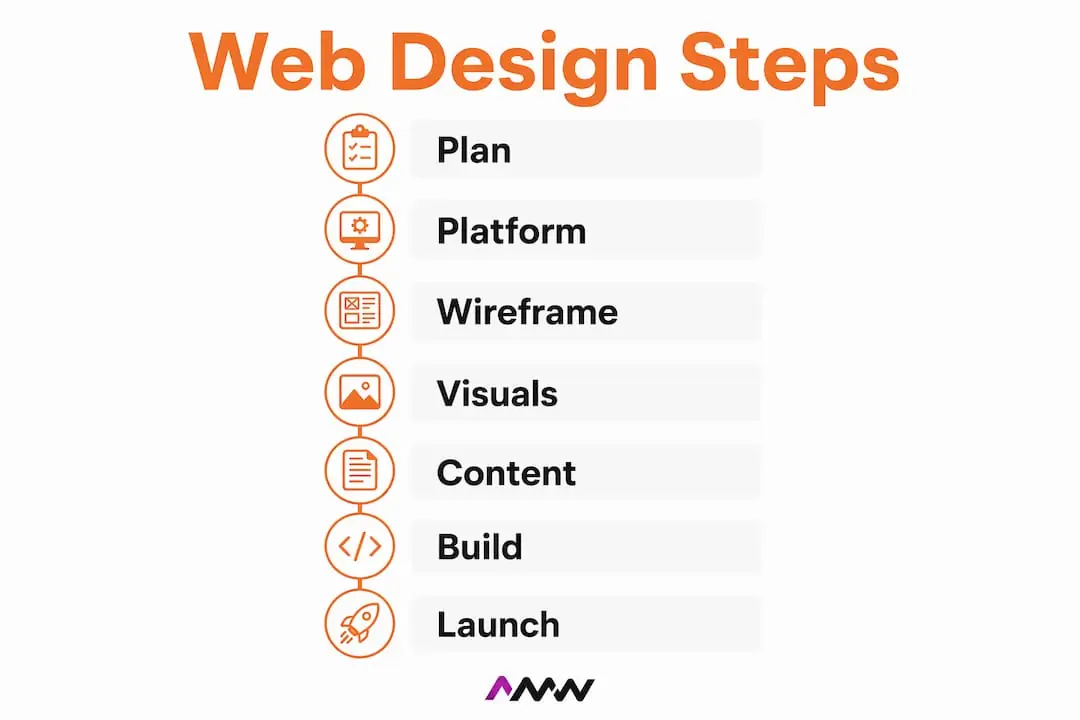
Write a one-page project brief before you approach any developer or agency. Include your purpose sentence, your audience, your goals, your page list, your budget band and your deadline. It takes an hour and saves weeks of back-and-forth.
Step 2: Which platform and hosting should you choose?
The platform decision shapes everything else: your costs, your flexibility, how easy it is to update content and what you can build later. There are four broad categories.

Managed website builders (Wix, Squarespace, Shopify for e-commerce) handle hosting, security and updates for you. They are the fastest route to a live site and the most beginner-friendly. Wix gives you drag-and-drop freedom with hundreds of templates; Squarespace leans towards polished, design-led layouts; Shopify is purpose-built for selling products. The trade-off is less control over the underlying code and monthly subscription costs that add up over time.
Self-hosted CMS (WordPress) gives you the most flexibility and the largest ecosystem of themes and plugins. It powers a significant share of the web for good reason. You manage your own hosting, which means more responsibility but also more control. Webflow sits in an interesting middle ground, it gives designers code-level control through a visual interface, making it popular with agencies and design-conscious founders.
Hosted commerce platforms (Shopify, BigCommerce) are the sensible default for product-based businesses. They handle payments, inventory and compliance so you do not have to.
Custom builds (custom HTML/CSS/JS or headless CMS) make sense when your requirements cannot be met by an existing platform. They cost more and take longer, but the result is exactly what you need. For most small businesses, a custom build is overkill at the start.
For UK businesses, choose a hosting provider with servers in or near the UK to reduce latency. Check that they offer automatic backups, a free SSL certificate, 99.9% uptime guarantees and GDPR-aware data handling. SiteGround, Kinsta and WP Engine are well-regarded options for WordPress. For domain registration, Namecheap and 123-reg are popular UK choices.
Template versus custom design is a separate question. A quality premium template on WordPress or Webflow can look excellent and launch in days. A custom web design takes longer and costs more, but it is built around your specific audience and conversion goals rather than a generic layout.
Pro Tip: Pick the platform that your team can actually update without calling a developer. A beautiful site that nobody can edit becomes a liability within six months.
Step 3: How do you map pages and wireframes before designing?
Wireframing before visual design is one of the most skipped steps in DIY web projects, and one of the most valuable. It forces you to think about structure before aesthetics, which saves hours of redesign later.
Start with a sitemap: a simple list or diagram of every page and how they connect. For most small businesses, the core set is:
- Home
- Services (one page per service, or a single overview)
- About
- Contact
- Privacy Policy and Terms
- Blog or Insights (optional but useful for SEO)
Map the user journey alongside it. A visitor lands on your homepage from a Google search, reads about your services, and clicks through to a contact form. Every page should have a logical next step that moves them closer to that goal.
Wireframes are low-fidelity sketches of each page layout. You do not need design software for this. A pen and paper works. If you prefer digital tools, Figma is the industry standard and has a generous free tier. Adobe XD is another solid option. For non-designers, Whimsical or Miro offer simple drag-and-drop wireframing boards that are easy to share with a team or developer.

Keep wireframes simple: show the rough position of the header, hero area, main content blocks, CTAs and footer. You are deciding where things go, not what they look like. Create one wireframe template for your homepage, one for a standard interior page and one for your contact page. That covers 80% of what you need.
The seven-step UX design process, discovery, scope, sitemap, wireframes, design, build, test, treats wireframing as a distinct phase for good reason. Skipping it tends to produce sites where the layout fights the content rather than supporting it.
Step 4: What visual design decisions actually matter for a small business site?
Start with mobile. Mobile traffic accounts for a majority of web visits globally, and Google uses your mobile version for indexing. Design your layouts for a 375px wide screen first, then scale up to tablet and desktop. Buttons need to be large enough to tap. Text needs to be readable without zooming. Navigation needs to collapse into a usable mobile menu.
For the hero area, the first thing a visitor sees, keep it simple: a clear headline, a one-sentence description of what you do, and a single CTA button. Resist the urge to cram in three different messages. Visitors decide within seconds whether to stay or leave.
A few visual decisions that shift the numbers:
- Colour: Pick two or three brand colours and use them consistently. Check contrast ratios against WCAG 2.1 AA standards (a minimum contrast ratio of 4.5:1 for body text). WebAIM’s Contrast Checker is free and takes thirty seconds.
- Typography: Use one typeface for headings and one for body text. Google Fonts and Adobe Fonts both offer free, web-optimised options. Keep body text at 16px minimum on desktop.
- Whitespace: More space between elements almost always improves readability. When in doubt, add padding.
- Images: Use real photography where possible. Stock photos are fine as a placeholder, but authentic images of your team, workspace or products build trust faster.
Accessibility is not optional. Add focus states to all interactive elements, write descriptive alt text for every image, and make sure your navigation works with a keyboard alone. These checks take an hour and make your site usable for a much wider audience.
A content-first approach beats design-first for small businesses: prioritise clear value propositions, contact routes and conversion paths before refining visual details. Get the words right first, then make them look good.
Step 5: How do you create content that gets found and converts?
Content is where most small business websites fall short. The design looks fine, but the copy is vague, the images are generic and there is no clear reason for a visitor to get in touch. Fix this before you build.
For each page, work through this checklist:
- A clear headline that states what you do and who you do it for
- A value proposition: why should someone choose you over anyone else?
- Benefits, not just features (what does the customer actually get?)
- Proof: testimonials, case studies, accreditations or client logos
- A single, clear CTA on every page
- A sensible page length (service pages typically work well at 400 to 800 words; home pages can be shorter)
For images, use WebP format where possible, it is smaller than JPEG or PNG at equivalent quality. Compress everything before uploading. Name files descriptively (“london-plumber-emergency-callout.webp” rather than “IMG_4521.webp”) and write alt text that describes the image in plain English.
On-page SEO basics: every page needs a unique title tag (50 to 60 characters), a meta description (150 to 160 characters), a single H1 heading, and a logical heading hierarchy below it. URLs should be short and descriptive. If you are targeting a local area, include it naturally in your copy and page titles.
UK legal requirements you cannot skip. Your site needs a Privacy Policy that complies with UK GDPR, a Cookie Consent banner that meets PECR requirements, and your company registration details if you are a limited company. These are not optional extras, they are legal obligations. The ICO website has plain-English guidance on what is required.
Schema markup (structured data) is worth adding to your homepage and contact page. It helps Google display your business name, address, phone number and reviews directly in search results. Google’s Rich Results Test lets you check your implementation for free.
Step 6: How do you build the site and set up your CMS?
This is where the plan becomes a real website. The exact steps depend on your platform, but the sequence is broadly the same.
- Install your theme or template and delete any demo content
- Set up your global navigation: primary menu, footer links and any secondary menus
- Create your page templates: home, interior page, contact, blog post
- Configure your contact forms and test that submissions arrive in your inbox
- Connect your email provider if you are collecting newsletter sign-ups
- Install Google Analytics 4 and verify your site in Google Search Console
- Set up automated backups (daily is sensible; weekly at minimum)
- Install a security plugin or enable your platform’s built-in security features
Choosing a CMS that allows non-technical editors to update content and metadata without developer help reduces ongoing costs and prevents bottlenecks. On WordPress, this means configuring the block editor or a page builder like Elementor or Bricks so that your team can edit pages without touching code. On Webflow, the Editor mode handles this natively. On Wix or Squarespace, it is built in by default.
Security basics to set before you go live: force HTTPS across the whole site, add security headers (X-Frame-Options, Content-Security-Policy, X-Content-Type-Options), keep all plugins and themes updated, and remove any plugins you are not using. On WordPress, a plugin like Wordfence or Solid Security handles most of this. On managed builders, the platform handles it for you.
Step 7: What pages do you need and how should navigation work?
Every small business site needs the same core pages. Home, Services (or Products), About, Contact, Privacy Policy and Terms. Add a Blog or Insights section if you plan to publish content regularly, it is one of the most reliable ways to build organic search traffic over time.
For service businesses, create a separate page for each distinct service rather than listing everything on one page. A plumber offering boiler installation, emergency repairs and bathroom fitting should have separate service pages for each distinct service, rather than listing everything on one page. Each page can target its own search terms and give visitors the detail they need to make a decision.
Navigation rules that actually matter:
- Keep your primary menu to five or six items maximum. More than that and visitors stop reading it.
- Put your most important CTA (usually “Contact” or “Get a Quote”) in the top-right corner of the header, as a button rather than a plain link.
- Every page should be reachable within three clicks from the homepage. If it takes more than that, restructure.
- Use the footer for secondary links: Privacy Policy, Terms, social media profiles, and your full address.
Your header should show your phone number or email address on every page. A surprising number of UK business sites make it difficult to find contact details. Put them where visitors expect them: top right on desktop, accessible from the mobile menu.
For local SEO, include your town or city naturally in your service page copy, your title tags and your meta descriptions. A Google Business Profile linked from your site reinforces your local presence in search results.
Step 8: How do you optimise performance, accessibility and SEO before launch?
Run these checks before you consider the site ready. They are not optional polish, they directly affect whether people can find your site and whether they stay when they get there.
| Tool | What to check | Target |
|---|---|---|
| PageSpeed Insights | LCP, INP, CLS (Core Web Vitals) | LCP < 2.5s, INP < 200ms, CLS < 0.1 |
| WAVE or axe | Accessibility errors and warnings | Zero critical errors |
| Rich Results Test | Structured data validity | No errors on key pages |
| Google Search Console | Index coverage, manual actions | All key pages indexed |
| Screaming Frog (free version) | Broken links, missing meta, redirect chains | Zero broken links |
Performance tactics that make the biggest difference: convert images to WebP or AVIF format, enable lazy loading for images below the fold, use a CDN to serve assets from servers close to your visitors, and defer non-critical JavaScript. Reduce third-party scripts, every analytics tag, chat widget and social embed adds load time.
Record your baseline scores before launch so you have something to improve against. A site that scores 65 on PageSpeed Insights on day one and reaches 85 within three months is a measurable win. For performance benchmarks, aim for LCP under 2.5 seconds, INP under 200 ms and CLS below 0.1 for a fast, user-friendly experience.
Faster website speed is directly linked to better search rankings and higher conversion rates, not just a technical nicety.
Step 9: How do you test and launch without things going wrong?
Testing is the step most DIY builders rush. Do not. A broken contact form or a page that looks fine on Chrome but breaks on Safari can cost you real enquiries.
Cross-device and browser checklist:
- Test on Chrome, Firefox, Safari and Edge (desktop and mobile)
- Test on an actual iPhone and an actual Android device, not just browser emulators
- Check every form: submit a test entry and confirm it arrives in your inbox
- Verify that all tracking is firing: open GA4 in real-time mode and browse the site
- Check that your SSL certificate is active and all pages load over HTTPS
- Confirm your sitemap is submitted to Google Search Console
- Test your 404 page, make sure it exists and links back to your homepage
Launch day tasks: submit your XML sitemap in Search Console, set up your analytics goals (form submissions, phone click events, purchases), and check your security headers using securityheaders.com.
For the first 48 to 72 hours after launch, monitor your Search Console for crawl errors, check your analytics for any unexpected drop-offs, and keep an eye on your contact inbox. If something breaks, your rollback plan is simple: restore from the backup you took immediately before launch, revert your DNS if you changed it, and contact your hosting provider’s support line. Keep that number saved before you go live.
Step 10: What does post-launch maintenance actually involve?
A website is not a one-off project. It is a living asset that degrades without attention. Security vulnerabilities emerge, plugins become outdated, content goes stale and performance drifts. The sites that stay fast, secure and ranking are the ones with a maintenance routine behind them.
Monthly maintenance checklist:
- Run all plugin, theme and CMS core updates
- Confirm automated backups are completing successfully
- Check uptime monitoring alerts (UptimeRobot has a free tier)
- Review Search Console for new errors or coverage drops
- Check Core Web Vitals in PageSpeed Insights
- Review your top exit pages in GA4 and investigate any sudden changes
- Make any small content edits: update pricing, add a new testimonial, publish a blog post
On costs: outsourced maintenance typically runs £20 to £50 per month for patches, backups and minor edits. That is a reasonable budget for peace of mind. Hosting and domain renewal sit on top at roughly £5 to £20 per month.
| Maintenance task | Frequency | Typical monthly cost (outsourced) |
|---|---|---|
| Plugin and CMS updates | Monthly | Included in maintenance package |
| Automated backups | Daily/weekly | Included in maintenance package |
| Uptime monitoring | Continuous | Free (UptimeRobot) or included |
| Core Web Vitals review | Monthly | Included in maintenance package |
| Minor content edits | As needed | £20 to £50/month |
| Security patching | Ongoing | Included in maintenance package |
When your site is stable and converting, the next move is an optimisation roadmap: A/B testing CTAs, refreshing content for new keywords, adding features like live chat or a booking system. That is the point at which maintenance becomes growth work.
AMW Media offers support and retainer packages that cover all of the above, keeping sites healthy without the business owner needing to think about it.
How do you set up website analytics and track user behaviour?
Google Analytics 4 is the standard starting point and it is free. Install it via Google Tag Manager rather than hard-coding the snippet, Tag Manager makes it far easier to add tracking events later without touching your site’s code.
Once GA4 is live, configure these as a minimum: form submission events, phone number click events (if your number is clickable), and any purchase or booking completions. Without event tracking, you only know how many people visited, not what they did. Measuring website KPIs properly means tracking the actions that actually matter to your business, not just pageviews.
Connect Google Search Console to GA4 so you can see which search queries are driving traffic to which pages. This combination tells you where visitors come from, what they do on the site, and where they leave. Review it monthly and act on what you find, a page with high traffic and zero conversions is telling you something needs to change.
For heatmaps and session recordings, Microsoft Clarity is free and integrates easily with GA4. It shows you exactly where visitors click, scroll and drop off, which is invaluable for improving page layouts without guessing.
Why backup and recovery planning matters more than most people think
Most small business owners set up a website and never think about backups until something breaks. By then, it is often too late to recover cleanly.
A good backup strategy follows the 3-2-1 rule: three copies of your data, on two different storage types, with one copy offsite. In practice for a small site, this means daily automated backups stored both on your hosting server and in a separate cloud location (Google Drive, Dropbox or Amazon S3). UpdraftPlus on WordPress handles this well and has a free tier. Managed platforms like Shopify and Squarespace handle backups automatically, though you should verify what their restore process actually looks like before you need it.
Test your backups. Seriously. A backup you have never restored is a backup you cannot trust. Once a quarter, restore your site to a staging environment and confirm everything works. This takes an hour and has saved many businesses from catastrophic data loss.
Before any major update, a new plugin, a theme change, a CMS upgrade, take a manual backup first. Most hosting control panels let you do this in two clicks. If the update breaks something, you can restore to the previous state in minutes rather than hours.
Recovery planning also means knowing who to call. Keep your hosting provider’s support number, your developer’s contact details and your domain registrar’s login credentials in a secure, accessible place. When a site goes down at 9 PM on a Friday, you do not want to be hunting for passwords.
Key takeaways
A small business website built on a clear plan, the right platform and a consistent maintenance routine will outperform a visually impressive site with no structure behind it every time.
| Point | Details |
|---|---|
| Start with a one-sentence purpose | Write what your site must do before opening any design tool, it filters every decision. |
| Budget realistically | A typical quality small business site costs between £1,500 and £3,500 to build, with hosting £5 to £20 per month and outsourced maintenance usually £20 to £50 per month. |
| Performance targets matter | Aim for LCP under 2.5s, INP under 200ms and CLS below 0.1, these affect both rankings and user experience. |
| Maintenance is not optional | Monthly updates, backups and monitoring keep your site secure, fast and converting after launch. |
| AMW Media can handle the whole process | From strategy and design to build, SEO and ongoing support, the team covers every step in this guide. |
What most guides get wrong about web design
The conventional wisdom says: pick a nice template, add your logo and launch. That advice produces sites that look fine and do nothing. The real problem is almost always the same: the business skipped the planning step, so the site has no clear purpose, no measurable goals and no content strategy behind it.
Content delays are the single biggest cause of projects running over time and over budget. A developer can build a site in four weeks. If the client takes eight weeks to supply copy and images, the project doubles in length and the final result is usually rushed. The fix is simple: gather your content before the build starts, not during it.
Scope creep is the second most common issue. A project that starts as a five-page brochure site grows to include a booking system, a members area and a custom calculator, all added after the brief was agreed. Every addition has a cost in time and money. A clear project brief with a defined page list and a change-request process prevents this.
The maintenance mindset is the thing most new site owners resist. They think of a website as something you build once and leave. In reality, a site that is not actively maintained degrades. Plugins become security risks. Content goes out of date. Performance drifts. The businesses that get the most from their websites are the ones that treat them as ongoing investments, not finished products. That shift in thinking is worth making early.
AMW Media’s web design service: what you get and how to start
If you have read this guide and decided you would rather hand the whole process to someone who does this every day, that is a perfectly sensible call.
AMW Media’s web design and development service covers strategy, design, build, content guidance, SEO setup and post-launch support. The team holds certifications with Google, Shopify, WordPress and Framer, and every project is scoped with a clear brief, a fixed timeline and transparent pricing, no vague estimates that balloon mid-project. Whether you need a clean brochure site, an e-commerce build or a custom solution, the process starts with a simple discovery conversation to understand your goals and budget.
Ongoing support packages are available for businesses that want their site maintained, monitored and improved without managing it themselves. Get in touch via the web design service page to request a quote or book a discovery call.
Useful sources
These are the tools and references mentioned throughout this guide. Save them for your build and post-launch checks.
- PageSpeed Insights, run this on every key page before launch to check your Core Web Vitals scores (LCP, INP, CLS).
- WAVE Accessibility Checker, paste your URL in and fix any critical accessibility errors before going live.
- Google Rich Results Test, verify that your structured data is valid and eligible for rich snippets in search results.
- Google Search Console, submit your sitemap here and monitor for crawl errors and coverage issues after launch.
- WebAIM Contrast Checker, check that your text and background colour combinations meet WCAG 2.1 AA standards.
- Microsoft Clarity, free heatmaps and session recordings to understand how visitors use your pages.
- ICO Cookie and Privacy Guidance, the authoritative UK source for cookie consent and PECR compliance requirements.
- AMW Media web design service, for businesses that want a professionally built, conversion-focused site with transparent pricing.
- AMW Media web design process guide, expanded process detail, templates and examples from the AMW Media team.
FAQ
What are the main steps to design a website?
The core steps are: plan your goals and audience, choose a platform and hosting, build a sitemap and wireframes, apply visual design, create content, build and configure your CMS, add pages and navigation, optimise performance and SEO, test across devices, then launch and maintain. Most small business sites follow a ten-step process from brief to live site.
How long does it take to design a website from scratch?
A typical small business brochure site takes around ten weeks from discovery to launch when content arrives on time. Simpler template-based builds can go live in two to four weeks; e-commerce or custom builds take longer.
How much does a small business website cost in the UK?
A 1 to 3 page brochure site starts around £800; most quality small business sites cost between £1,500 and £3,500. Hosting and a domain add roughly £5 to £20 per month, and outsourced maintenance typically runs £20 to £50 per month.
What are the 7 steps of the web design process?
The standard UX-focused process runs: discovery, scope definition, sitemap and information architecture, wireframing, visual design, build, and test and iterate. This seven-step framework aligns with the broader ten-step process in this guide, with the additional steps covering content creation, launch and ongoing maintenance.
Do I need a developer to build a small business website?
Not necessarily. Managed builders like Wix, Squarespace and Shopify let non-technical owners build and maintain a site without writing code. WordPress with a visual page builder is also manageable for most people. A developer or agency adds value when you need custom functionality, a custom design or a faster, more reliable result.
The process is the same whoever the client is. What changes is what the site has to rank for, which is why our web design work in Milton Keynes starts with the search plan rather than the moodboard.
Recommended
- What is web development? A plain-English guide for small businesses | AMW Media
- how to design a website a practical guide for 2026 | AMW Media
- Web design process guide: steps, tools, and tips | AMW Media
- What is custom web design? A guide for businesses | AMW Media
Our free marketing audit looks at your site, your ads and your content, and comes back with a 30 day plan. No pitch deck.

Owns how everything looks and feels, from a brand identity to the grade on a reel, and makes the animated films such as Blue Light Services' Journey to Net Zero. Meet the team.