
 Black Steel Doors
 Woodstock Campers
 Phillips Joinery
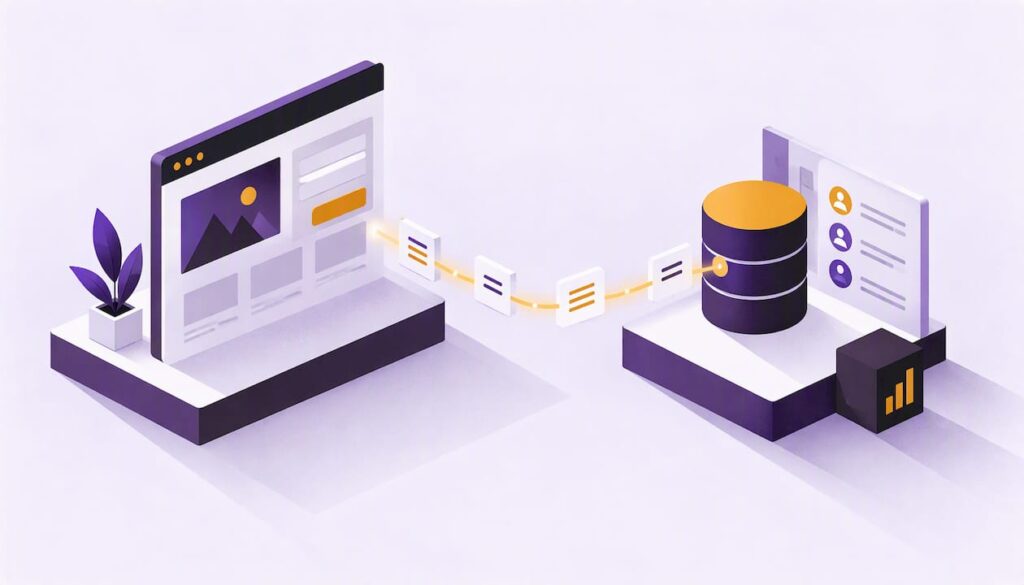
Integrating your CRM with your website means that when someone fills in a form, books a call or buys something, their details land in your CRM automatically, tagged with where they came from and what they agreed to. No spreadsheets, no “can you forward me that enquiry?” emails, no lead going cold in an inbox nobody checks on a Friday afternoon.
The idea is simple. Doing it well is where people trip up: duplicate contacts, forms that quietly fail, and marketing consent that never makes it across. This guide walks through what actually flows between the two systems, the four ways to connect them, a step-by-step setup, and the UK data rules you need to respect along the way.
TL;DR
- A website-to-CRM integration sends form submissions, bookings and (optionally) behaviour data into your CRM automatically, so your team can follow up quickly and nothing gets lost.
- You can connect the two with a native plugin, a no-code automation tool, a webhook or API connection, or a fully custom build. The right one depends on how many forms you have and how much logic sits behind them.
- Decide what you need to collect before you build. UK GDPR expects you to hold only data that is adequate, relevant and limited to what is necessary.
- Store marketing consent as its own field, with a date and a source. Sending leads to your CRM is easy. Proving they said yes to emails is the part that matters.
- Test every form after launch, and again every time someone edits the site.
Table of Contents
- What “CRM integration with a website” actually means
- Why bother: the honest benefits
- Four ways to connect your website to a CRM
- How to set it up, step by step
- UK data rules: the bit you cannot skip
- Common mistakes (and how to dodge them)
- Our perspective: start boring, then get clever
- Where we can help
- Once it is connected: what to do with the data
- A quick pre-launch checklist
- FAQ
- Sources
What “CRM integration with a website” actually means
Your website is where strangers become enquiries. Your CRM is where enquiries become customers. Integration is the pipe between the two.
Without it, the process usually looks like this: a form sends an email to a shared inbox, someone copies the details into the CRM when they remember, and the sales team works from whatever they were told. With it, the submission creates or updates a contact record in seconds, assigns an owner, starts a follow-up task and maybe triggers an email that says thanks.
It is worth being clear about direction, too. Some integrations are one-way (website pushes data into the CRM). Others are two-way, where the CRM also feeds the site, for example to show a logged-in customer their order history or to hide a pop-up from people who already signed up. Most small and mid-sized businesses only need one-way to begin with, and that is a perfectly respectable place to start.
What can actually flow between the two
| Data | Direction | Typical use |
|---|---|---|
| Contact form submissions | Website to CRM | Create a lead, notify the right person |
| Newsletter sign-ups | Website to CRM | Add to a list with consent recorded |
| Booking or demo requests | Website to CRM | Create a deal and a calendar task |
| Page visits and downloads | Website to CRM | See what a lead looked at before they enquired |
| Traffic source and campaign (UTM tags) | Website to CRM | Work out which channels bring paying customers |
| Order data from a shop | Website to CRM | Segment customers, trigger follow-up emails |
| Customer record details | CRM to website | Personalised content, logged-in areas |
You do not need all of it. Start with the first three rows and the traffic source. That alone answers the question most business owners really have: which of our marketing efforts produces actual enquiries?
Why bother: the honest benefits
People love to list seven or eight benefits of integration. Here are the ones we see matter in practice.
Speed to reply. A lead who hears back in ten minutes is a very different prospect from one who hears back in two days. Automatic routing means the right person is pinged immediately. We go deeper on this in our piece on automated lead routing.
Fewer typos and lost leads. Every manual copy-and-paste is a chance to get a phone number wrong. Machines are boringly reliable at this.
Proper attribution. If the CRM knows a lead arrived through a Google Ads click or a LinkedIn lead form, you can judge marketing by revenue rather than by clicks. Our guide on LinkedIn lead gen forms for B2B pipeline shows how that works on one channel.
A single view of each person. When the sales team can see that a contact downloaded a price guide, opened three emails and then booked a call, the conversation starts in a much better place.
A foundation for automation. Welcome sequences, nurture emails and internal alerts all rely on clean data arriving from the site. If you are curious about where that leads, what automation in marketing really involves is a good next read.
Four ways to connect your website to a CRM
There is no single correct method. There is a right-sized method for your situation.
1. Native plugins and built-in connectors
Most popular CRMs offer a plugin or embeddable form for the common website platforms. WordPress, Shopify and Framer sites in particular tend to have well-trodden options. You install it, authorise the connection, map your form fields to CRM fields, and you are done.
Good for: a brochure site with one or two forms, a small team, a tight budget. Watch out for: limited logic (you cannot easily say “if the budget is over a certain amount, assign to the senior person”), and plugin updates that occasionally break things.
2. No-code automation tools
These sit in the middle. Your form tool sends a “new submission” signal, the automation tool picks it up, and you build a little flow: create the contact, add a note, tag it, send a Slack message, add a row to a spreadsheet for your finance person who loves spreadsheets.
Good for: teams who want flexibility without hiring a developer, and sites with several different forms feeding different workflows. Watch out for: per-task pricing that creeps up as volume grows, and flows that nobody documents. When the person who built it leaves, the mystery begins. We cover the landscape in our UK guide to automation tools for digital marketing.
3. Webhooks and APIs
A webhook is a way for your website to say “something just happened, here is the data” by sending it to a web address your CRM (or a middleman) listens on. An API is the more structured version, where your site talks directly to the CRM and can create, update or look up records.
This is also how the classic web-to-lead forms offered by the big enterprise CRMs work: a form on your site posts straight into the lead table in the CRM.
Good for: custom forms, custom built sites, anything where you need to check whether a contact already exists before creating a new one. Watch out for: it needs a developer, and error handling matters. If the CRM is down for ten minutes, what happens to the enquiries in that window? A well-built integration queues them and retries.
4. A fully custom build
Sometimes the CRM is the engine of the whole business: quotes, portals, scheduling, invoicing. Then the website and CRM stop being two products with a bridge and become one system designed together.
Good for: complex sales processes, service businesses with client portals, multi-location operations. Watch out for: over-engineering. If a plugin would do the job, build the plugin version first.
Which should you pick?
| Your situation | Sensible starting point |
|---|---|
| One contact form, one salesperson | Native plugin |
| Several forms, several workflows | No-code automation tool |
| Custom site, duplicate-checking, lots of fields | Webhook or API |
| Quotes, portals, multi-step journeys | Custom build |
If you are torn between two rows, take the simpler one. You can always graduate.
How to set it up, step by step
Here is the order we would work in. It is not glamorous, but skipping steps is how people end up with 400 contacts all called “Test Test”.
- Write down what you want to happen. In plain English: “When someone fills in the contact form, create a contact, assign it to whoever covers their region, and email them a confirmation.” If you cannot say it in a sentence, the build will not be clearer.
- Audit your forms. List every place data enters: contact form, newsletter box, quote request, live chat, checkout, event sign-up. Decide which ones go to the CRM.
- Trim the fields. Do you really need a company size, a job title and a postcode on a first enquiry? Each extra field lowers conversions and raises your data protection duties. More on that shortly.
- Create matching fields in the CRM. Match field types too. A dropdown on the site should map to a dropdown in the CRM, not a free-text box, or your reporting will turn into soup.
- Add hidden fields for tracking. Capture the traffic source, campaign, landing page and date. These are invisible to the visitor and priceless to you later.
- Decide how duplicates are handled. The usual answer is to match on email address: if it exists, update the record; if not, create one.
- Connect and map. Use whichever of the four methods suits you.
- Set the follow-up. Owner assignment, a task for the salesperson, an automatic acknowledgement email. This is where the integration earns its keep.
- Test properly. Submit every form with a dummy contact, on mobile and desktop, with and without the marketing tickbox ticked. Check that the record appears, the fields are populated and the consent field is right.
- Monitor. Set an alert for failed submissions. Check weekly at first, then monthly.
Do not forget the thank-you page
A dedicated confirmation page after a submission gives you a clean place to track conversions in your analytics and ad platforms. It also tells the visitor that something happened, which is more reassuring than a form that just sits there looking smug.
UK data rules: the bit you cannot skip
This is the section people want to skim. Please do not. Connecting a website to a CRM means you are automatically collecting and storing personal data, and in the UK that brings UK GDPR and PECR (the Privacy and Electronic Communications Regulations) into play. This is general information, not legal advice. For anything unusual, talk to a data protection professional or your own solicitor.
Collect less, and know why
UK GDPR requires that you hold only personal data that is adequate, relevant and limited to what is necessary for your stated purpose, under the data minimisation principle. The ICO also says there is no fixed retention period, so you need to decide how long you keep data and delete or anonymise what you no longer need.
The ICO’s guidance on collecting information and generating leads offers a handy gut check: if you struggle to explain why you need a piece of information, or you would hesitate to tell people because they might object, rethink it. Apply that to every field on your forms.
Consent for marketing needs its own tickbox
An enquiry form and a marketing sign-up are not the same thing. Someone asking for a quote is not agreeing to a monthly newsletter. The ICO’s guidance says that where you need consent for marketing, you should give clear privacy information at the point of collection, use opt-in boxes that say which type of message (email, phone and so on) people are agreeing to, make it easy to withdraw and keep a record of when and how consent was given. Pre-ticked boxes are out. You can read the details on the ICO’s lead generation guidance.
In practice, your CRM should hold:
- a yes/no marketing consent field, defaulting to no
- the date and time consent was given
- the source (which form, which page)
- the wording the person saw, or at least a version number for it
If you email existing customers, there is a limited exception often called the soft opt-in. The ICO explains the conditions on its page about electronic mail marketing. Read it before leaning on it, because it only covers your own previous customers and similar products or services, and people must always have an easy way to opt out.
Keep consent simple and in one place
A government digital team once described building a central store for customer marketing preferences. Their lesson was that organisations get further, faster, by keeping a simple central record of consent that updates as people opt in or out, rather than chasing a perfect all-knowing customer view. They also found that tying consent to one basic identifier, such as an email address, avoided a lot of messy record matching.
For a small business, translate that as follows: make the CRM the master record for consent. Your email platform, your ad audiences and your website should all read from it, not keep their own opinions. When someone unsubscribes in one place, it should be reflected everywhere.
Cookies and tracking
If your integration passes behavioural data (pages viewed, scroll depth, ad click IDs) into the CRM, that usually depends on cookies or similar technologies. Under PECR, non-essential cookies need a clear, positive action from the user. The Government Communication Service guidance sets out how the standard of consent now follows UK GDPR. So your cookie banner and your CRM tracking need to agree with each other. If a visitor declines analytics cookies, your integration should not be quietly attaching their browsing history to a contact record.
Common mistakes (and how to dodge them)
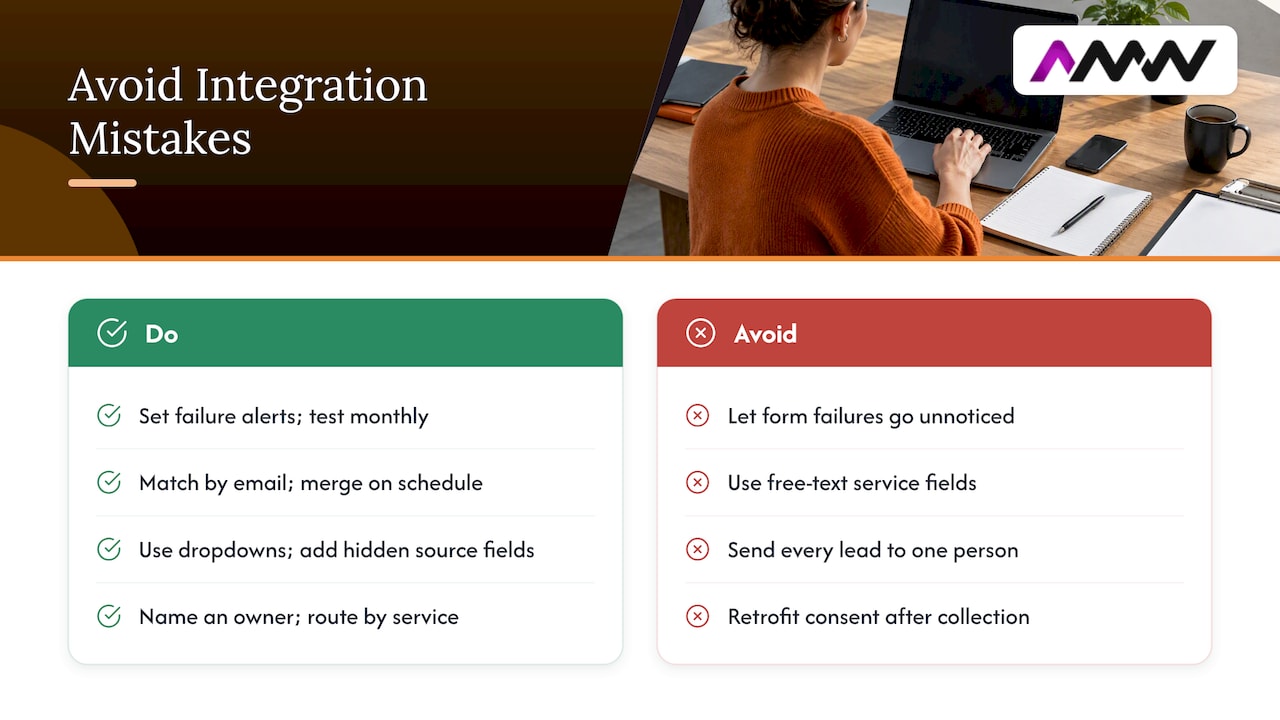
Forms that fail silently. The site says “Thanks!”, the CRM never received anything. Cause: an expired API key, a changed field name, a plugin update. Cure: failure alerts and a monthly test submission.
Duplicates everywhere. The same person enquires twice and gets two records, then three. Cure: match on email address, and merge on a schedule.
Free-text chaos. If “Service interested in” is a free-text box, you will get “web”, “Web design”, “website pls” and a surprising number of emoji. Use dropdowns.
No source data. If you do not capture where leads come from at the moment they arrive, you cannot reconstruct it later. Add hidden fields on day one.
Everything goes to one person. Routing by service, region or deal size saves arguments. Again, see our lead routing guide.
Too many fields. Long forms cost you enquiries and add data you have to protect. Ask for the minimum and gather the rest in conversation.
Consent bolted on afterwards. Retrofitting consent records to thousands of contacts is a miserable job. Do it from the first submission.
Nobody owns it. Name one person responsible for the integration. When something breaks at 4:55 pm, “the team” is not a helpful answer.
Our perspective: start boring, then get clever
We build websites and we set up CRMs, automations and email flows, so we see both halves of this problem. Here is what we would tell a friend who asked us over a coffee.
The businesses that get the most from integration are rarely the ones with the fanciest setup. They are the ones who did the dull groundwork: a short form, clean field mapping, a clear owner for every lead and a follow-up that goes out within minutes. Cleverness comes later, and it is much easier to add on top of tidy data.
The second thing we notice is that the website and the CRM are usually planned by different people at different times. The site gets designed, launched and admired. Then someone says “we should probably connect this to the CRM” and it turns out the forms were built with no thought for field names, tracking or consent. Planning the two together, even loosely, saves a surprising amount of rework. That is one reason we like handling web design and CRM work under one roof.
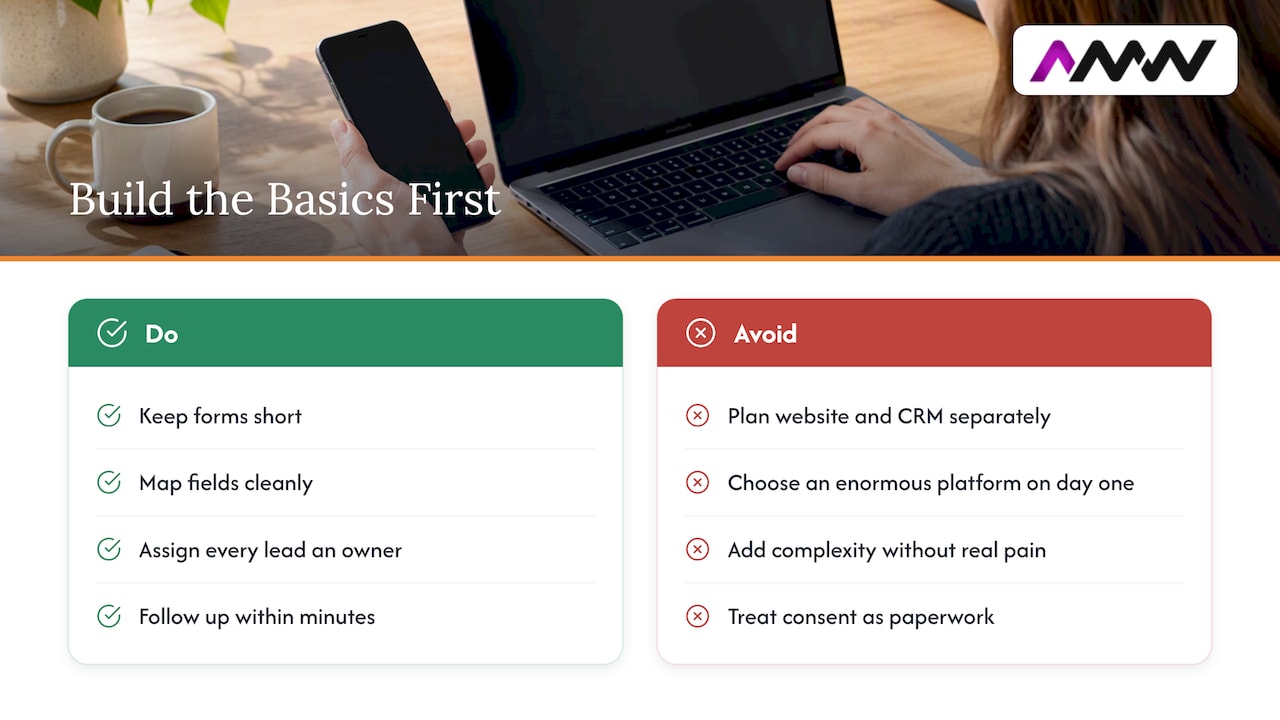
Third, be wary of anyone who tells you that you need an enormous platform on day one. Many UK small businesses need a CRM that does a handful of things reliably: capture, assign, remind, report. Add complexity when you feel real pain, not because a feature list looked impressive.
Finally, treat consent as part of the build, not paperwork. It is far easier to design a form with a proper opt-in and a clear record than to explain later why you cannot tell whether 3,000 contacts agreed to hear from you.
Amir Wanas, founder of AMW Media
Where we can help
If you would rather not spend your weekend mapping fields and debugging webhooks, our CRM and automation team sets up and connects CRMs to websites, forms, email and ad platforms. We also design and build the websites themselves, so the forms and the CRM are planned together. You can see everything we do on our services page. We work without long-term contracts, and we report on what is happening in plain English.
Once it is connected: what to do with the data
Integration is the plumbing. The payoff comes from what you do with the water.
Follow up fast and consistently
Set a simple rule, such as “every new enquiry gets a human reply within one working hour”, and let the CRM create the task and nag the owner if it is missed. Pair it with an automatic acknowledgement so the lead knows you have it.
Nurture people who are not ready yet
Most visitors who enquire will not buy this week. A short, well-written email sequence for people who gave consent keeps you in mind without being a pest. Our pages on email marketing flows and campaigns and email marketing that converts go into how to build that.
Report on revenue, not just leads
Once source data is flowing in, build a simple report: leads by channel, then deals won by channel. A channel that brings a hundred leads and no sales is a hobby. A channel that brings ten leads and five sales is a business. For the wider picture of how enquiries are generated in the first place, see our overview of lead generation methods and the practical guide to what lead generation is.
Clean up regularly
Schedule a quarterly tidy: merge duplicates, remove contacts you no longer have a reason to hold, and check that your consent records still make sense. The ICO’s data minimisation guidance is clear that holding data longer than necessary adds risk and makes handling subject access requests harder.
A quick pre-launch checklist
- Every form has been tested on mobile and desktop.
- Each submission creates or updates exactly one contact.
- Required fields are genuinely required, and nothing else is.
- Marketing consent is an unticked, separate box with clear wording.
- Consent date and source are stored in the CRM.
- Traffic source fields are populated.
- Leads are routed to the right person and a task is created.
- Failure alerts are switched on.
- Your privacy notice explains what you collect, why and for how long.
- Someone has been named as the owner.
FAQ
What is a CRM for a website?
It is the system where you store and manage everything you know about the people who contact you or buy from you. When connected to your website, it automatically receives form submissions, sign-ups and orders, so your team can follow up from one place instead of hunting through inboxes.
Can I use a website builder as a CRM?
Some website platforms include basic contact lists and form submission logs, and for a very small operation that can be enough. Once you need task assignment, pipeline stages, email sequences and reporting by source, a dedicated CRM connected to the site usually works better. It also makes it easier to change your website later without losing your customer data.
Do I need a developer to connect my CRM to my website?
Not always. Native plugins and no-code automation tools handle most standard forms without any code. You will want a developer for custom forms, duplicate checking, queueing failed submissions, or when the site and CRM need to exchange data in both directions.
Is it legal to add website enquiries to my CRM automatically?
Storing an enquiry so you can reply to it is normal, as long as you are open about it in your privacy notice and collect only what you need. Adding that person to marketing emails is a separate matter, and generally needs a clear opt-in or a valid soft opt-in, as the ICO explains. If your situation is unusual, ask a data protection adviser.
How long does a CRM and website integration take?
A single form connected through a plugin can be live in an afternoon. A multi-form setup with routing, tracking and consent records usually takes longer because most of the time goes on planning and testing rather than connecting. Allow time for the testing, since that is where most problems turn up.
Sources
- ICO: Collect information and generate leads
- ICO: Principle ©, data minimisation
- ICO: Electronic mail marketing
- Digital Trade blog: Developing DIT’s consent service
Recommended
- Best automation tools for digital marketing: 2026 UK guide
- Website optimisation checklist: your 2026 UK guide
- CRM Agency: Setup, Automation and Integrations
Our free marketing audit looks at your site, your ads and your content, and comes back with a 30 day plan. No pitch deck.

Founded AMW Media in 2024 and runs strategy, paid media and the CRM builds. The reason everything here is in house and measured in revenue. Meet the team.