
 Black Steel Doors
 Woodstock Campers
 Phillips Joinery
In 2026 the most effective ecommerce SEO strategy is a revenue-first approach that fixes product-offer accuracy, maps keywords to real pages, and eliminates faceted-URL duplication. Get those three things right and you should see better merchant listings, fewer indexation problems, and more organic traffic that actually converts. The sections below walk through exactly how to do each one, in order of commercial impact.
TL;DR:
- Focus on fixing product-offer accuracy by ensuring prices and availability match structured data to improve merchant listing eligibility.
- Prioritize keyword mapping based on revenue potential and assign search intent to the correct page type, such as product, category, or content hub.
- Decide canonical URLs for categories and filters before development to prevent duplicate content issues and optimize filter page indexation.
- Improve mobile usability by optimizing navigation, filter usability, and image sizes, recognizing that mobile is the main experience for most shoppers.
- Implement a clear parameter policy for faceted navigation to control indexing and prevent duplicate URLs that waste crawl budget and harm search visibility.
Table of Contents
- Revenue-focused keyword strategy and page mapping
- Category pages: canonical rules, faceted decisions and content that deserves to rank
- Product pages: the fields, structured data and merchant listing requirements that matter
- Content clusters and topical authority: building discovery funnels that feed commerce
- Internal linking, architecture and navigation that move shoppers and crawlers
- Technical SEO for ecommerce: faceted navigation, parameters and Core Web Vitals
- Measurement and prioritisation: picking the pages and fixes that move the business
- Content refresh, scaling and governance: a process to keep gains and scale sustainably
- How AMW Media does this in practice: workflow, deliverables and checklist
- Mobile SEO and responsive design specific to ecommerce
- SEO strategies for user-generated content and reviews
- Optimizing site speed and performance beyond Core Web Vitals
- International SEO considerations for ecommerce stores (hreflang, localization)
- Voice search optimization tactics for ecommerce
- SEO-friendly product images and multimedia optimization
- Author’s perspective and one-step actions for this week
- How AMW Media helps: services that deliver ecommerce SEO outcomes
- FAQ
- Sources
Revenue-focused keyword strategy and page mapping
Most ecommerce teams still rank keywords by search volume. That’s backwards. Pull a bulk export from Search Console, then join it against your commerce data (conversion rate, average order value, margin) so you can score opportunities by what they’re actually worth, not just how often people search them.
Group keywords into intent buckets before you assign them anywhere:
- Transactional (“buying running shoes size 9”) belongs on product pages.
- Commercial research (“best running shoes for flat feet”) belongs on category pages or buying guides.
- Informational (“how to choose running shoes”) belongs on cluster content that links back into the catalogue.
One pound of lost margin matters more than one extra click. When you export Search Console data into BigQuery, you can cluster queries by URL and prioritise fixes on pages with real commercial weight, not just high impressions.
As a quick exercise, take your top-selling category, list every keyword variant it currently ranks for, and assign each one to a category page, a specific product page, or a supporting article. If a keyword doesn’t have an obvious home, that’s usually a sign you’re missing a page, not that the keyword is useless.
Category pages: canonical rules, faceted decisions and content that deserves to rank
Decide your canonical, indexable URLs for every main category before you let developers build filters on top of them. Retrofitting canonical logic after launch is far more painful than planning it up front.
- Map the hierarchy first. Each top-level category gets one canonical URL; subcategories inherit the same logic.
- Choose which filters deserve their own indexable page. A colour or size filter (“blue trainers”) can earn traffic if the demand is there; a sort-by-price filter never should be indexed.
- Block or canonicalise the rest. Anything that creates a near-duplicate of the parent category should point back to it.
For content that earns its ranking, each category page needs intent-matched copy above the fold, a representative sample of products, internal links to related categories, and a call to action that matches where the shopper actually is in their decision.
Pro Tip: Write category copy as if you’re answering the one question a shopper has before they start filtering, not as a product list introduction.
Product pages: the fields, structured data and merchant listing requirements that matter

Product pages need specific visible content to earn trust and rank well: a genuinely unique description (not the manufacturer’s boilerplate), clear pricing, current stock status, and visible shipping and returns terms.
Structured data has to back that up. Google’s guidance on merchant listing structured data is specific: product pages qualify for merchant-listing features only when the Offer represents a genuine, purchasable item with an active price greater than zero, sold directly by the merchant on that page. Product markup works best on pages focused on a single product or its variants, each with its own URL, rather than on category listings.
- Keep structured data and visible content aligned, since a mismatch between the two can disqualify a page from rich results.
- Treat product data as a live feed. Price, stock and returns changes need to update the page, the schema, and your Merchant Center feed at the same time.
- Check variants separately. A size or colour variant with its own URL needs its own accurate Offer, not a copy-pasted one.
Structured data alone never fixes a stale feed. Google notes that schema only improves merchant experiences when it reflects a genuinely purchasable offer, not a placeholder.
Content clusters and topical authority: building discovery funnels that feed commerce
A pillar page on a broad topic (say, “running shoe buying guide”) should link out to narrower cluster articles (“best shoes for overpronation”, “how to measure foot width at home”), and every cluster piece should link back to relevant category or product pages. That structure captures research-stage demand and funnels it toward the catalogue instead of leaving it stranded on a blog.
Match each piece of content to where the shopper actually is:
- Early research content answers a problem, not a product category.
- Comparison content sits between categories and gets shoppers close to a decision.
- Decision-stage content links directly into product pages with specific recommendations.
To scale this without burning out your team, build a repeatable brief template that pulls structured product data (specs, pricing ranges, stock categories) straight into the content without duplicating the product page itself. Measure success by assisted conversions from cluster pages, not just their own pageviews. This is also where a dedicated content production process pays off, because clusters need a steady publishing rhythm to compound.
Internal linking, architecture and navigation that move shoppers and crawlers
Internal links should mirror how a shopper actually moves through your store: homepage to category, category to product, product to related product. When a commercial page is buried four or five clicks deep, both crawlers and shoppers are less likely to find it.
- Prioritise category-to-product links over tangential cross-links that dilute authority.
- Check your sitemap for staleness. Discontinued products and old category URLs left in the sitemap waste crawl attention.
- Find orphan pages by crossing your full URL list against your internal link graph, anything with zero internal links in is a candidate for either linking or removal.
Pro Tip: Run an orphan-page audit every quarter, new products get added faster than old navigation gets updated, and that gap is where the best pages quietly disappear.
Technical SEO for ecommerce: faceted navigation, parameters and Core Web Vitals
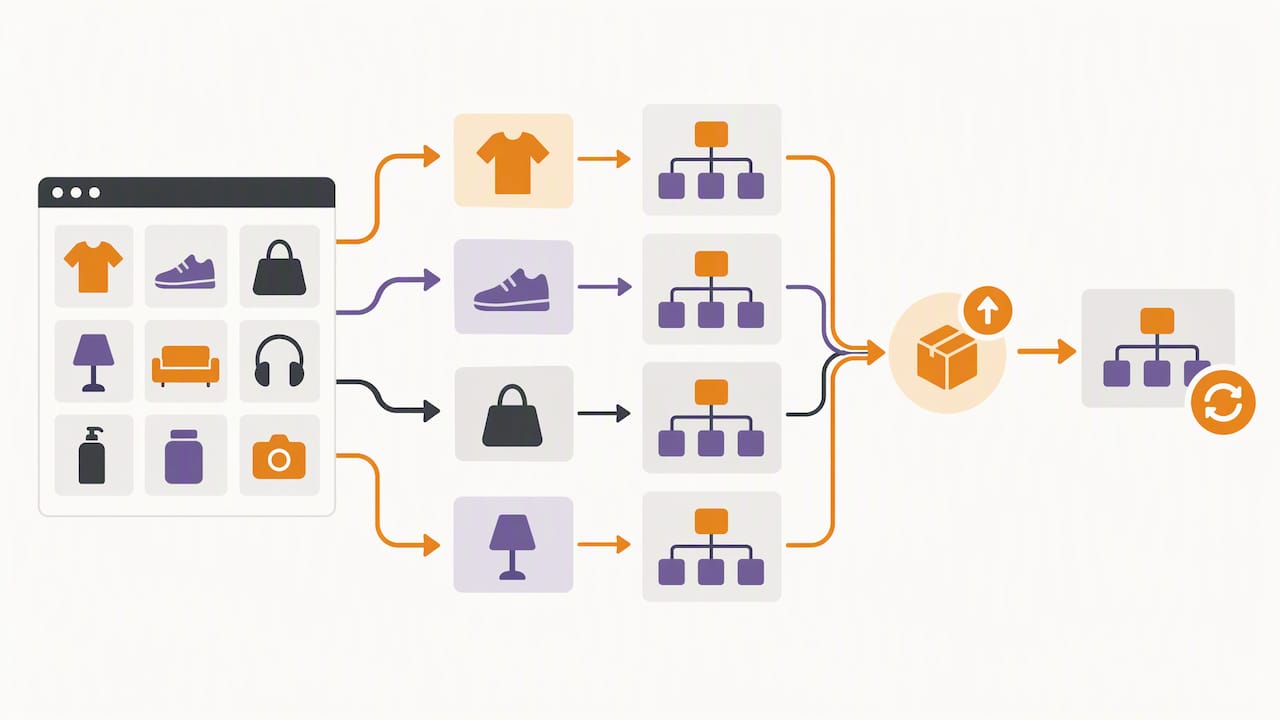
Faceted navigation is where most ecommerce sites lose crawl budget and indexation clarity. Google’s faceted navigation guidance explains that sort and filter parameters can generate huge numbers of near-duplicate URLs, and without a deliberate plan, the wrong version often ends up indexed instead of the one you want.
- Document a parameter policy per category: which filters are ignored, which get a specific canonical value, and which are allowed to self-canonicalise.
- Store that policy somewhere your developers actually check, and revalidate it after every catalogue update.
- Treat Core Web Vitals as a conversion lever, not just a ranking factor. Slow product image loading and layout shift during add-to-basket actions both cost sales directly.
A documented parameter policy prevents the single most common ecommerce indexing failure. Google’s own examples show how inconsistent parameter handling can cause products to appear across multiple duplicate URLs or vanish from the preferred indexable page entirely.
For very large catalogues, keep sitemaps segmented by category and refresh them automatically when stock changes, rather than relying on a single static file.
Measurement and prioritisation: picking the pages and fixes that move the business
A simple scoring formula keeps your team working on pages that matter: impressions multiplied by click-through rate, multiplied by conversion rate, multiplied by average order value, then adjusted for margin so you’re not chasing high-revenue, low-profit SKUs — as explained in detail in search query performance.
| Factor | What it tells you |
|---|---|
| Impressions | Visibility ceiling for the page |
| Click-through rate | How compelling the title and meta are |
| Conversion rate | Whether the page itself closes the sale |
| Margin-adjusted AOV | Whether the fix is worth the engineering time |
Google recommends pre-aggregating and sampling data when exporting Search Console data to BigQuery, since raw dashboards against unaggregated tables can run up processing costs quickly.
- Test titles and meta descriptions first on your highest-impression, lowest-CTR pages.
- Test price and shipping clarity next, since ambiguity there is a common silent conversion killer.
- Measure lift over a full purchase cycle, not just the first week after a change.
Content refresh, scaling and governance: a process to keep gains and scale sustainably
Not every underperforming page needs a rebuild. A short triage checklist saves time:
- Refresh pages with declining rankings but accurate product data, usually a content and internal-link update is enough.
- Rebuild pages where the underlying product range or category structure has genuinely changed.
- Retire pages for discontinued products, redirecting them to the closest live alternative.
Treat product data as an ongoing feed rather than a one-off project: visible content, structured data and your product feed should always update together, never in separate batches that drift out of sync.
On governance, keep an editorial calendar for content refreshes, run periodic accessibility checks against Gov (sample-based testing across your category, product and checkout templates is enough for large catalogues), and make sure any email capture built into content or product pages follows PECR consent requirements before anyone’s added to a marketing list.
How AMW Media does this in practice: workflow, deliverables and checklist
We run a process for clients that starts with a technical audit, followed by a prioritised fix list based on commercial impact, sprinted delivery, and content cluster builds once the foundation is solid.
- Audit: crawl, structured data check, Search Console export.
- Prioritise: score every fix by the commercial model above.
- Deliver: fix sprints, then content and link building.
Pro Tip: Before briefing anyone, internal or external, write down your three highest-traffic pages with the worst conversion rates. That list alone usually reveals the first sprint.
Mobile SEO and responsive design specific to ecommerce
Most ecommerce traffic now arrives on a phone, which means your mobile experience isn’t a secondary version of the site, it’s the primary one Google evaluates and the one most shoppers actually use to buy.
Responsive design needs to go further than resizing images. Filter menus that work fine on desktop often become unusable on mobile if they open as full-screen overlays with no clear way back to results. Checkout forms with too many fields or poorly labelled inputs lose sales at the exact point of highest intent, which is the worst place in the whole funnel to lose someone.
A few practical fixes make a real difference:
- Keep tap targets large enough that filter chips and add-to-basket buttons don’t require a second attempt.
- Avoid interstitials that cover product information on first load, they frustrate shoppers and can also affect how pages are evaluated.
- Test your actual checkout flow on a real phone, not just a browser’s device emulator, since real network conditions expose problems emulators miss.
Image-heavy product pages are often the worst offenders for mobile performance, since full-resolution desktop images served unchanged to a phone slow the page and burn through data allowances. Serving appropriately sized images per device, alongside the structured data and offer accuracy covered earlier, keeps mobile product pages both fast and eligible for rich results.
Navigation deserves particular attention too. A mega-menu that works well with a mouse hover can be nearly unusable with a thumb, so collapsible, tap-friendly category menus tend to perform better for both usability and crawlability on mobile.
SEO strategies for user-generated content and reviews
Reviews do two jobs at once: they build the trust that nudges a hesitant shopper towards checkout, and they generate fresh, unique content on pages that might otherwise look identical to a competitor’s listing of the same product.
A few principles keep review content working for SEO rather than just sitting there:
- Display reviews directly on the product page, not behind a separate tab that needs an extra click, since visible text is what gets crawled and read.
- Encourage detail in review prompts. A prompt asking “how did it fit, and would you size up or down?” produces far more useful, keyword-rich content than a simple star rating.
- Respond to critical reviews publicly where appropriate. That response is itself unique content, and it signals active management of the page.
- Avoid review gating that only invites satisfied customers to leave feedback, since skewed review sets reduce trust and can breach platform and consumer protection rules.
User-generated content extends past reviews too. Customer photos, Q&A sections, and even forum-style discussion threads on top-selling products all add unique text that a manufacturer’s standard product copy simply can’t provide. The content and distinct wording from real shoppers often outlast a product description that gets copied across dozens of competing retailers.
One operational note: review content needs the same offer-integrity discipline as the rest of the page. If a review mentions a price or availability that no longer matches the current Offer, that mismatch undermines the structured data accuracy covered earlier, so review widgets should pull live data rather than caching stale snippets.
Optimizing site speed and performance beyond Core Web Vitals
Core Web Vitals measure loading, interactivity and visual stability, but they don’t capture everything that makes an ecommerce site feel fast to an actual shopper moving through a purchase.
Checkout speed matters more than almost any other interaction on the site, because every extra second of friction at that stage has a direct cost. Third-party scripts are usually the biggest culprit: payment widgets, chat tools, personalisation scripts and ad pixels all compete for the same resources, and a site that loads fine on the homepage can slow to a crawl once every tracking script fires on the checkout page.
Practical steps that go beyond the standard Core Web Vitals checklist:
- Audit third-party scripts quarterly and remove anything that isn’t earning its load time.
- Lazy-load below-the-fold product images on category pages without delaying the ones a shopper sees first.
- Cache category and product pages aggressively where stock and pricing allow, rebuilding the cache the moment a feed update changes either.
- Test from a genuinely slow connection, since a strong office Wi-Fi connection hides problems that show up instantly on mobile data.
Server response time on product pages deserves specific attention too. A database query that checks live stock on every page load can add noticeable delay at scale, especially during high-traffic periods like a sale. Caching stock status with a short expiry, rather than querying it live on every request, usually solves this without sacrificing accuracy.
Our website optimisation checklist covers a broader set of technical and UX fixes that complement the performance work here.
International SEO considerations for ecommerce stores (hreflang, localization)
Selling into more than one market or language adds a layer of technical complexity that catches out a lot of growing ecommerce stores: Google needs to know which version of a page to show which audience, and getting that wrong can mean the wrong language or currency showing up in search results.
Hreflang tags are the mechanism for that signal. Each localised version of a page needs to reference every other version, including itself, and the tags need to match exactly across all versions, a single typo in a language code can break the whole set for that page.
A few things trip up ecommerce sites specifically:
- Currency and pricing differences aren’t the same as language differences. A UK and US site in English still need separate URLs if pricing, stock and shipping terms differ.
- Don’t rely on automatic redirects based on IP location alone, since that can trap crawlers in one regional version and prevent other versions from being indexed at all.
- Keep structured data locale-specific. An Offer’s price and currency need to match the actual market the page serves, not a global default.
For most stores expanding gradually, starting with clear, separate URLs per market (whether by subdirectory or subdomain) and clean hreflang implementation is a safer foundation than attempting full localisation and translation across every page from day one.
Voice search optimization tactics for ecommerce
Voice queries tend to be longer, more conversational, and more likely to ask a direct question than typed searches, which changes what content earns that kind of visibility.
Product and category pages that already answer a specific question in plain language, such as “is this machine washable” or “does this fit a size 10 foot”, are naturally better positioned than pages written purely as feature lists. That overlaps directly with the FAQ-style content and detailed product copy already recommended earlier for product pages.
A few tactics specifically help with voice and conversational search:
- Write product FAQs in natural question form, matching how someone would actually ask the question out loud.
- Keep answers concise and direct in the first sentence, since that is the format most likely to be read aloud as a snippet.
- Make sure local or store-specific details are accurate if voice queries are likely to include phrases like “near me” or ask about opening hours and stock.
Voice search optimisation is not really a separate strategy, but rather a consequence of doing the content and structured data work elsewhere in this guide properly. A product page with clear, accurate, conversationally written answers to common questions tends to perform well across both typed and spoken search, without needing a distinct voice-specific approach.
SEO-friendly product images and multimedia optimization
Images carry more SEO weight on ecommerce sites than most teams give them credit for, both through image search traffic and through their effect on page speed and conversion.
Descriptive file names and alt text matter for two different audiences at once: search engines trying to understand what the image shows, and shoppers using screen readers who can’t see the product at all. GOV.UK’s accessibility guidance specifically calls out accessible images as a usability requirement, and the same descriptive text that satisfies accessibility also gives search engines genuine context instead of a generic “product-image-1.jpg” filename.
Practical steps for product imagery:
- Use descriptive, specific file names before upload, “navy-wool-overcoat-front.jpg” rather than a camera-generated string of numbers.
- Write alt text that describes the actual product, not a keyword-stuffed repeat of the page title.
- Serve responsive image sizes so a phone doesn’t download a desktop-resolution file unnecessarily.
- Add video where it genuinely helps, a short product demonstration often answers more buyer questions than another static photo angle ever could.
Video content in particular is underused on product pages. A thirty-second clip showing scale, movement or texture can resolve exactly the kind of hesitation that drives shoppers to abandon a basket or open a return later. Our content production work often starts exactly here, because well-produced product video tends to lift both engagement and conversion in ways a photo alone can’t match.
Author’s perspective and one-step actions for this week
The biggest mistake I still see is teams chasing rankings on keywords that don’t map to a real, buyable page. Fix your product-offer accuracy first, because no amount of content or backlinks compensates for a stale price or broken Offer.
This week, pick your ten highest-traffic product pages and check that the visible price matches the structured data exactly. Then test one thing, a title tag, a shipping message, and measure the actual conversion lift rather than the ranking movement.
— Amir
How AMW Media helps: services that deliver ecommerce SEO outcomes
Everything in this guide is work we do for clients day to day, from technical audits through to the content and design that turns traffic into revenue. Our SEO services cover the keyword mapping, structured data and faceted navigation fixes covered above, and our web design and development team handles the template changes that Core Web Vitals and mobile fixes usually require.
A first engagement typically starts with the audit and prioritisation model from this guide: scoring every issue by commercial impact before fixing anything, then delivering fixes in focused sprints rather than a slow overhaul. For stores that also need ongoing content, we handle content production and cluster builds as a follow-on phase once the technical foundation is solid.
If you’d rather see the full range of what we offer first, our services page lists everything from SEO through to web design, content and automation. Ready to brief us on your store? Get in touch and we’ll start with the audit.
FAQ
What are the 5 C’s of ecommerce?
The common C’s referenced in ecommerce strategy include company, customers, competitors, collaborators and climate, a framework for assessing the business environment rather than a formal SEO standard. Applied to SEO, it’s most useful for working out which keywords and content genuinely reflect your customers’ needs against what competitors already rank for.
What are the top 5 SEO strategies for ecommerce?
For ecommerce specifically, the highest-impact strategies are revenue-focused keyword-to-page mapping, accurate product structured data backed by a genuine Offer, disciplined faceted navigation and canonical rules, internal linking that prioritises category-to-product flow, and ongoing measurement that scores fixes by commercial impact rather than traffic alone. Each of these is covered in detail earlier in this guide.
What is the 80/20 rule in SEO?
The rule in SEO generally refers to the idea that a small share of your pages or fixes tends to drive the majority of your organic results, so prioritisation matters more than covering everything evenly. For ecommerce, that usually means focusing first on your highest-traffic category and product pages rather than spreading effort thinly across the whole catalogue.
Is SEO still worth it for ecommerce in 2026?
Yes, organic search remains one of the lowest-cost, highest-intent channels for ecommerce, particularly when product pages are built to qualify for merchant listing features in search results. The strategies in this guide, from offer accuracy to structured data to faceted navigation control, are specifically about capturing that demand reliably rather than chasing short-term ranking spikes.
How do I start fixing faceted navigation issues?
Start by documenting which filter and sort parameters currently create indexable URLs, then decide which deserve their own canonical page and which should be consolidated or blocked, following Google’s faceted navigation guidance. Revalidate that policy every time your catalogue structure changes, since new filters are often added without anyone checking their indexation impact.
Sources
- BigQuery efficiency tips for Search Console bulk data exports | Google Search Central Blog
- Gov
- The Privacy and Electronic Communications (EC Directive) Regulations 2003 – Regulation 22
Recommended
- Master your SEO strategy: guide for effective brand growth
- SEO in marketing: strategies for long-term growth
- Types of SEO strategies: a practical 2026 guide
- Get Cited, Not Just Crawled: AI SEO Strategy for Marketing Teams
Our free marketing audit looks at your site, your ads and your content, and comes back with a 30 day plan. No pitch deck.

Founded AMW Media in 2024 and runs strategy, paid media and the CRM builds. The reason everything here is in house and measured in revenue. Meet the team.