
 Black Steel Doors
 Woodstock Campers
 Phillips Joinery
TL;DR:
- Video production involves planning, filming, and editing to create engaging content for your audience. Following a structured workflow and focusing on quality lighting and audio ensures professional results and efficient processes. Consistent pre-production planning and systematic editing help build reliable content creation habits that grow your marketing impact.
Video production is the integrated process of planning, filming, and editing video content to engage your audience and meet your brand objectives. For content creators, marketers, and small business owners, mastering this process is no longer optional. Video consistently outperforms static content across social media, websites, and email campaigns. Understanding the full video production process, from the first script draft to the final export, gives you a repeatable system that saves time and produces better results every time.
What are the essential phases in a guide to video production?
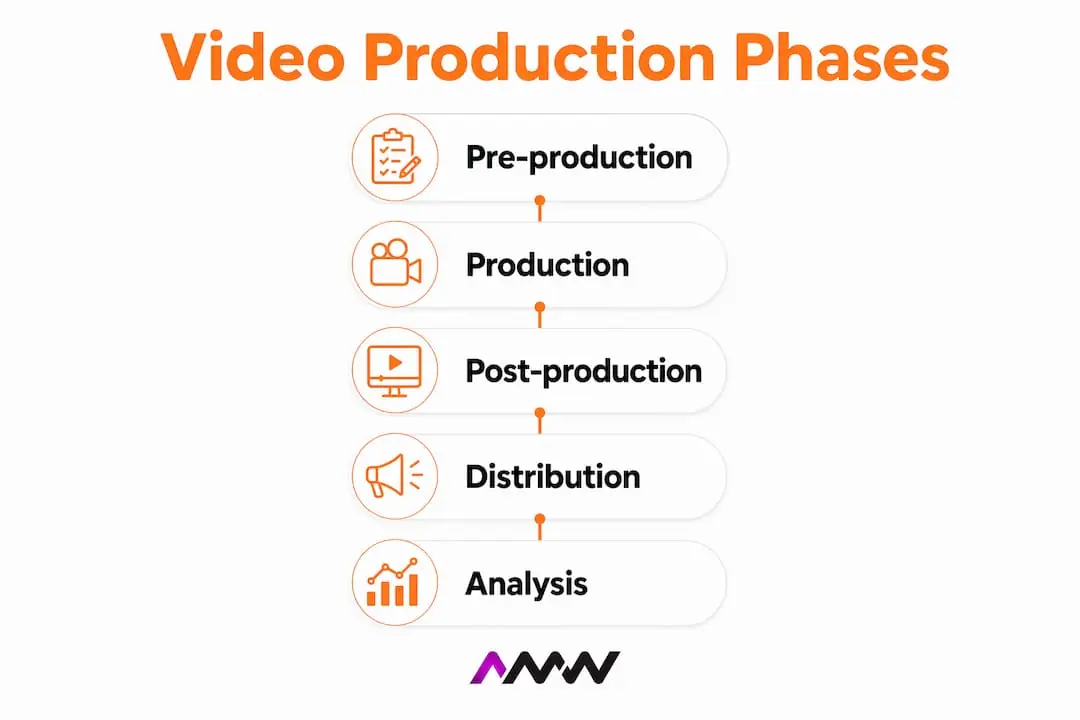
Every professional video production follows three phases: pre-production, production, and post-production. Skipping or rushing any one of them creates problems that cost more to fix later than they would have cost to prevent. Think of pre-production as the foundation. The stronger it is, the faster everything else moves.
Pre-production: plan before you press record
Pre-production covers everything that happens before a camera is switched on. This includes setting your video goal, writing a script, creating a storyboard, and building a shot list. Pre-production planning is where the highest-value decisions for cost and quality occur. Even a quick ten-minute planning session and a one-page shot list drastically reduce on-set risks.
A solid pre-production checklist for small teams covers:
- Goal setting: Define what the video must achieve. More sign-ups? Brand awareness? A product demo?
- Script: Write every word that will be spoken. Keep sentences short and conversational.
- Storyboard: Sketch or describe each shot visually so the whole team knows what to expect.
- Shot list: Number every shot with camera angle, framing, and any movement notes.
- Equipment check: Confirm your camera, microphone, lighting, and memory cards are ready.
- Location scout: Visit your filming location in advance to check for noise, light, and space.
Pro Tip: Write scripts for the ear, not the eye. Use short sentences, a conversational tone, and read your script aloud before filming. If it sounds unnatural when spoken, rewrite it.
Production: the filming phase
Production is the actual shoot. With a thorough shot list in hand, your filming day becomes a checklist rather than a guessing game. Allocate roughly one day of filming for every two to three minutes of finished video. Solo creators should budget extra time for setup, especially when self-directing.
Post-production: where the magic happens
Post-production covers editing, colour grading, audio mixing, and export. Structured workflows reduce total production time by up to 60%. That is a significant saving for a small team producing regular content. Plan for one to three weeks of post-production per finished minute of video, depending on complexity.
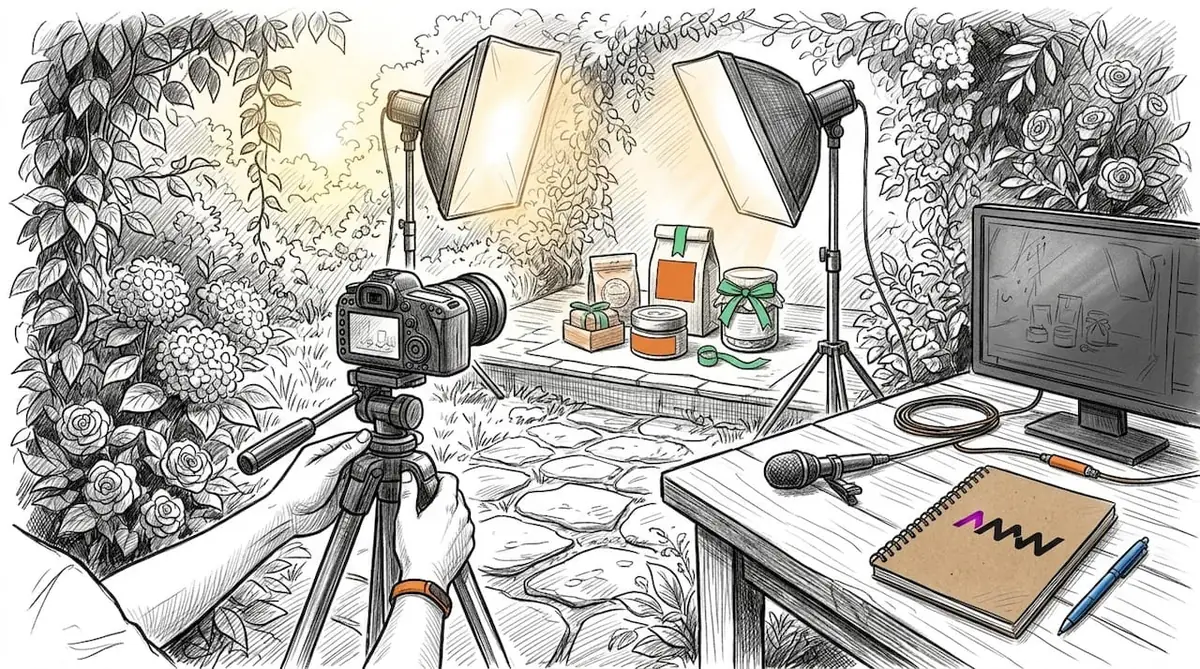
How to capture professional-quality footage and audio
The gap between amateur and professional video is rarely the camera. It is almost always the lighting and the audio. Getting these two elements right transforms the perceived quality of your content without requiring a large budget.
Camera positioning and framing
Frame your subject using the rule of thirds. Place the main subject slightly off-centre rather than dead in the middle of the frame. Keep the camera at eye level for interviews and talking-head videos. A slightly elevated angle is flattering; a low angle looking up tends to feel uncomfortable for viewers. Leave a small amount of headroom above your subject and keep the background clean and uncluttered.
Lighting basics for small teams
Natural light is free and often the best option. Film facing a window, not with your back to it. Overcast days produce soft, even light that flatters most subjects. For indoor setups, a simple two-point LED panel arrangement (one key light and one fill light) removes harsh shadows and gives your footage a polished look. Avoid mixing colour temperatures, such as warm tungsten bulbs alongside cool daylight, as this creates an unpleasant colour cast that is difficult to fix in post.
Why audio matters more than your camera
Microphone quality impacts viewer retention more than camera upgrades. Audiences tolerate lower video quality far more readily than poor audio. A lavalier microphone clipped to a shirt collar, or a directional shotgun microphone mounted on a boom pole, will do more for your production value than a camera body upgrade costing ten times as much. Record a short test clip before every shoot and listen back through headphones to catch any hum, echo, or wind noise early.
Pro Tip: Document your filming standards for lighting positions, camera settings, and audio levels. This reduces setup time from hours to approximately 20 minutes and keeps your brand visuals consistent across every video.
Shoot for the edit
Capture 5 to 10 seconds of B-roll around every main scene. B-roll is supplementary footage: hands typing, a product being used, a street scene, or a close-up of a relevant object. This footage gives your editor options for smooth transitions and helps cover any jump cuts in the main interview or narration. Running out of B-roll during editing is one of the most common and easily avoidable problems in beginner video production.
What are effective workflows for post-production editing?
Post-production is where your raw footage becomes a finished video. A clear editing workflow prevents you from getting lost in the process and ensures consistent output quality. Systematic editing steps that follow a defined order improve both output quality and speed.
The standard post-production workflow runs as follows:
- Ingest and organise: Import all footage, audio, and assets. Label and sort files by scene or shot number before touching the timeline.
- Assembly cut: Drop every usable clip onto the timeline in rough order. Do not worry about pacing yet. The goal is to see the full story laid out.
- Rough cut: Trim clips, remove mistakes, and establish the basic pacing. Cut on action where possible to keep energy high.
- Colour correction: Fix exposure, white balance, and contrast so all clips match. This is technical work, not creative.
- Colour grading: Apply a consistent look or “grade” to give the video its visual tone. A warm grade suits lifestyle content; a cooler, desaturated grade suits corporate or tech videos.
- Audio post-production: Mix dialogue, music, and sound effects. Apply noise reduction to remove background hum. Aim for dialogue sitting at around -12 to -6 dB and music sitting underneath at -18 to -24 dB.
- Final review: Watch the full video at least twice before export. Check for jump cuts, audio spikes, and any text or graphics that appear too briefly to read.
- Export and delivery: Export in the correct format for each platform.
Export formats by platform
| Platform | Recommended format | Aspect ratio | Max file size |
|---|---|---|---|
| YouTube | MP4 (H.264) | 16:9 | 256 GB |
| Instagram Reels | MP4 (H.264) | 9:16 | 1 GB |
| MP4 (H.264) | 16:9 or 1:1 | 5 GB | |
| Website embed | MP4 (H.264) | 16:9 | Under 100 MB |
Getting your video content into the right format for each channel is not glamorous work, but it directly affects how your video performs. A vertical video uploaded horizontally to Instagram loses most of its visual impact immediately.
What common mistakes should video producers avoid?
Most video production mistakes are pre-production failures that show up later. Poorly planned productions frequently end in costly fixes during editing. Catching problems before the shoot is always cheaper than fixing them afterwards.
The most common mistakes across all three phases include:
- Skipping the shot list: Arriving on set without a shot list leads to missed angles, wasted time, and gaps in the edit.
- Ignoring audio during filming: Background noise from air conditioning, traffic, or open windows ruins otherwise good footage. Always monitor audio through headphones while recording.
- Inconsistent lighting between shots: If your lighting changes between takes, the edit will look choppy. Lock your lighting setup before rolling and document it for future shoots.
- Filming without enough B-roll: A talking-head video with no cutaway footage feels flat. Aim for at least two to three times as much B-roll as you think you will need.
- No review stage before publishing: Rushing to publish without a final review pass leads to embarrassing errors, from misspelled lower-thirds to audio that cuts out mid-sentence.
Pro Tip: Small planning efforts prevent major on-set issues. A one-page pre-production document covering your goal, script outline, shot list, and equipment checklist takes 20 minutes to write and saves hours on the day.
Documenting your workflow for repeatability
One of the most underused practices in small-team video production is workflow documentation. Write down exactly how you set up your camera, position your lights, and configure your audio for each type of video you make. The first time you do this takes effort. Every subsequent shoot becomes faster and more consistent. Effective video production balances creative freedom during filming with disciplined workflows that guide editing and review for repeatable quality.
Workflow documentation also makes it easier to hand off tasks to a second person or a freelancer. If your setup is written down, anyone can replicate it without needing to ask you twenty questions first. For small businesses producing regular content, this is the difference between a sustainable content schedule and a chaotic one.
Balancing creativity with process
Structure does not kill creativity. It gives creativity a place to live. When you know your shot list is complete and your audio is clean, you have mental space to experiment with an unexpected angle or try a different delivery. Planning acts as an enabler of creativity rather than a constraint. The creators who produce the most interesting content are usually the ones with the most organised pre-production process. For more on building a content production system that works, the content production steps guide from AMW Media covers the planning side in useful detail.
What I have learned from years of video production for marketing
The most common mistake I see from small businesses and solo creators is treating video production as a single task rather than a three-stage process. They buy a decent camera, press record, and then wonder why the footage feels flat or why editing takes forever. The camera is almost never the problem.
The shift that changes everything is investing time in pre-production. Not weeks of planning. Sometimes just 30 minutes with a notepad. When you know exactly what shots you need and why, the filming day becomes almost mechanical in the best possible way. You stop second-guessing yourself on set and start making creative decisions from a position of confidence.
Audio is the other thing I cannot stress enough. I have watched good video content get ignored because the audio was slightly echoey or the background hum was distracting. Viewers are forgiving about picture quality. They are not forgiving about sound. A £40 lavalier microphone will do more for your content than a £400 lens upgrade.
The final lesson is about consistency. The creators and businesses that build real audiences through video are not necessarily the most talented. They are the most consistent. A documented workflow, even a simple one, is what makes consistency possible. Without it, every video feels like starting from scratch. With it, you build momentum, and momentum is what turns video production into a genuine marketing asset. If you want to see how video marketing strategies connect to broader digital goals, that is worth reading alongside this guide.
Amir
How AMW Media helps brands get more from video content
Producing great video is one part of the equation. Getting it in front of the right audience is the other.
AMW Media works with content creators, marketers, and small businesses to build digital marketing strategies that make video content work harder. From social media management that places your videos where your audience actually spends time, to web design that showcases your video content in a way that converts visitors into customers, the team brings together creative production and marketing expertise under one roof. If you are producing video content and want to make sure it reaches and resonates with the right people, get in touch with AMW Media to talk through what that looks like for your brand.
Key takeaways
Effective video production requires disciplined pre-production planning, clean audio capture, and a systematic editing workflow to produce consistent, high-quality content at scale.
| Point | Details |
|---|---|
| Pre-production is non-negotiable | A shot list and script reduce on-set errors and cut total production time significantly. |
| Audio beats camera quality | Microphone choice affects viewer retention more than any camera upgrade you can make. |
| Document your filming setup | Recording your lighting, camera, and audio settings reduces future setup time to around 20 minutes. |
| Follow a structured edit workflow | Ingest, rough cut, grade, mix, and review, in that order, to improve speed and output quality. |
| Plan B-roll deliberately | Capture 5 to 10 seconds of supplementary footage per scene to give your editor flexibility. |
Perspective
See the perspective section above (written as Amir’s personal view in the body).
Videography for small business, without the agency budget
The advice above assumes a crew. Most small businesses start without one, and the honest position is that a phone in good light beats a badly lit camera every time.
Videography for small business comes down to three things you can control before you spend anything: shoot near a window rather than under a ceiling light, get the microphone close to the person talking, and film the work itself rather than someone describing it. Sound loses more videos than picture does, and nobody watches a talking head describe a process they could be shown. Our Harrow page covers which part of digital marketing a north west London business usually needs first.
Every figure is published: Content production starts at £799 a month, and the full rate card is on our pricing page, where you can tick what you need and see the total before you speak to anybody.
FAQ
What is video production?
Video production is the end-to-end process of planning, filming, and editing video content to communicate a message or achieve a marketing goal. It covers three phases: pre-production, production, and post-production.
How long does video production take?
Post-production alone typically requires one to three weeks per finished minute of video. Total production time varies by complexity, but structured workflows can reduce it by up to 60%.
What equipment do I need to start producing videos?
A smartphone or entry-level camera, a lavalier or directional microphone, and a basic LED light panel are enough to produce professional-looking content. Audio quality is the priority.
How do I improve my video editing speed?
Follow a fixed workflow: ingest, assembly cut, rough cut, colour correction, audio mix, and final review. Organising your files before touching the timeline saves the most time.
What is B-roll and why does it matter?
B-roll is supplementary footage filmed alongside your main content, such as close-ups, environment shots, or action clips. It gives editors options for smooth transitions and covers jump cuts in the main footage.
Recommended
- Effective content production strategies for brand growth
- Types of creative content: 10 formats that drive results | AMW Media
- Professional Video Production Services in the UK | AMW Media
- What is video marketing: effective strategies for 2026
Our free marketing audit looks at your site, your ads and your content, and comes back with a 30 day plan. No pitch deck.

On site with the cameras most days of the week. Installs, interviews, products and events, from London to Liverpool. Meet the team.