
 Black Steel Doors
 Woodstock Campers
 Phillips Joinery
TL;DR:
- Setting up a SaaS involves legal registration, compliance, technical deployment, and clear billing systems before launch. Founders must ensure legal documents match the actual product and test all onboarding and technical flows thoroughly. Addressing common pitfalls early helps SaaS startups launch smoothly and adapt swiftly.
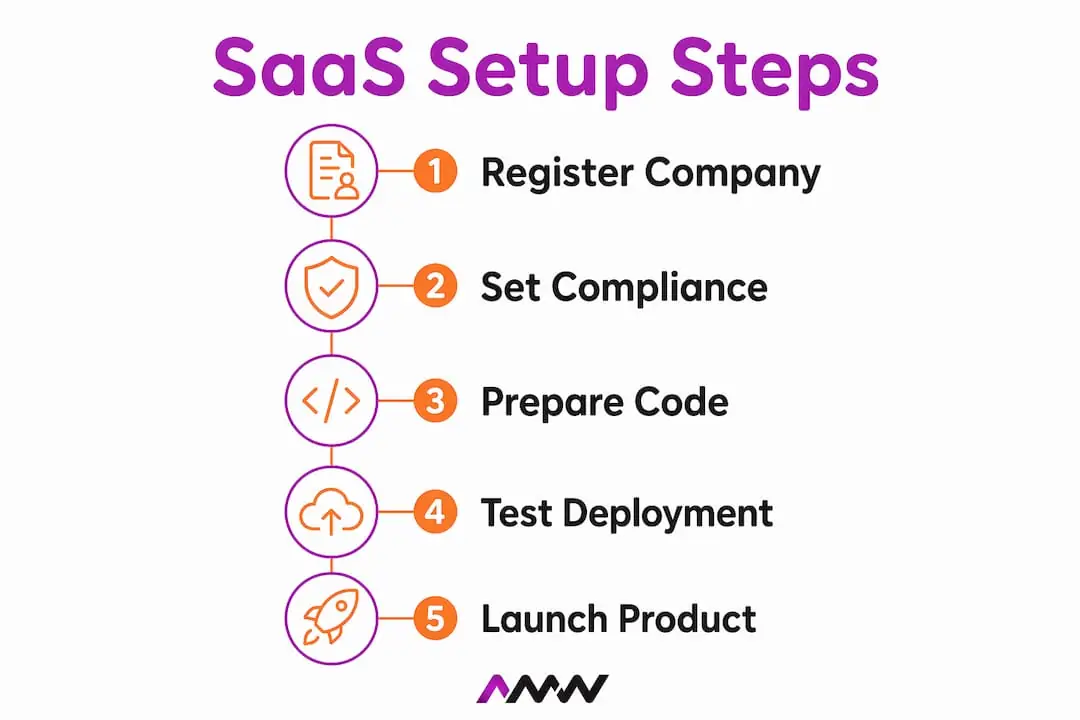
A step by step SaaS setup is the process of methodically establishing your software-as-a-service business, covering company formation, legal compliance, technical deployment, and operational launch. The industry term for this process is SaaS implementation, and getting it right from the start saves you from expensive fixes later. Most founders underestimate how many moving parts exist before a single customer logs in. This guide walks you through every phase in plain English, with UK-specific rules, real costs, and the kind of practical detail that generic tutorials skip entirely.
What prerequisites and tools do you need before your SaaS setup?
Before you write a single line of code or sign up for a payment processor, you need three things in place: a legal entity, a financial infrastructure, and a technical environment. Skipping any one of these creates problems that compound quickly.
Legal and business registration
Registering a UK limited company online costs £50 direct via Companies House, with processing completed within 24 hours. Using a formation agent costs between £30 and £150 depending on the service level. The direct route is faster and cheaper for most founders, though agents add value if you want a registered office address included.
If your SaaS product processes personal data (and almost every SaaS product does), ICO registration is mandatory, with annual fees of £40 for micro-organisations and £60 for small organisations. That is not optional. The ICO can issue fines for unregistered data processing, and “I didn’t know” is not a defence.
Financial tools
You need payroll and accounting software before you hire anyone or pay yourself a salary. Payroll software costs typically range from £16 to £32 per month, with tools like Xero sitting in that bracket and FreeAgent available at around £19 per month or free when bundled with certain business banking accounts. Choosing a tool that integrates with your bank from day one saves hours of manual reconciliation every month.
| Tool category | Example options | Typical monthly cost |
|---|---|---|
| Accounting | Xero, FreeAgent | £16 to £32 |
| Payroll | Xero Payroll, FreeAgent | £16 to £32 or free with banking |
| Hosting | Cloud platforms | Varies by usage |
| Version control | Git-based platforms | Free to £20+ |
Technical prerequisites
Your technical environment needs three things before deployment: a hosting platform, a version control system, and a staging environment separate from production. Deploying directly to production without a staging environment is the technical equivalent of performing surgery without a rehearsal. You can find a useful overview of SaaS tools for 2026 on the AMW Media blog if you want a broader picture of what the ecosystem looks like.

Pro Tip: Set up your accounting software and business bank account on the same day you register your company. Mixing personal and business finances, even briefly, creates a bookkeeping headache that takes weeks to untangle.
How to register your SaaS company and set up legal compliance
Legal compliance is not a box you tick once and forget. For a UK SaaS business, it is an ongoing obligation that touches your website, your emails, and your product itself.
Forming your UK limited company
- Go to the Companies House online portal and complete the IN01 form.
- Choose your company name and confirm it is not already registered.
- Provide a registered office address in England, Wales, Scotland, or Northern Ireland.
- Appoint at least one director and confirm share structure.
- Pay the £50 registration fee by debit or credit card.
- Receive your Certificate of Incorporation, usually within 24 hours.
Formation agents can handle steps 1 through 5 for you, which is worth considering if you are simultaneously managing technical development. The cost difference between direct registration and a mid-tier agent is around £50 to £100, which is a reasonable spend to free up your time during a busy launch period.
ICO registration and data protection
Register with the ICO as soon as your company is formed, not after you launch. Processing personal data without registration is a breach of UK GDPR, regardless of how small your operation is. The annual fee is £40 for micro-organisations and £60 for small organisations, making this one of the cheapest compliance obligations you will face.
One thing most founders get wrong: consent is rarely the lawful basis for processing SaaS customer data. Contract performance or legitimate interests are the primary bases for core data processing. Consent applies mainly to cookies and marketing communications. Getting this distinction wrong means your privacy notice is inaccurate from day one.
Legal documents your SaaS needs
A complete UK SaaS legal document set includes several layered documents: website terms of use, product terms of service, a privacy notice, cookie information, an acceptable use policy, and a data processing addendum for B2B customers. Each document serves a different contractual purpose, and you cannot substitute one for another.
The critical mistake founders make is using generic templates. Website terms must align to your actual product pricing and user journey, not to a hypothetical SaaS product. A mismatch between your terms and your pricing page creates contract risk that surfaces during enterprise sales cycles, often at the worst possible moment.
Pro Tip: Build a simple data flow map before writing your privacy notice. List every type of personal data you collect, where it goes, and why. This takes two hours and makes your privacy notice accurate rather than aspirational.
Document acceptance is equally important. Your onboarding flow must record when a user accepted your terms and which version they accepted. A checkbox at signup is the minimum. Storing that acceptance record in your database is non-negotiable.
One compliance detail that catches founders off guard: the Companies Act 2006 requires your registered office address and company number to appear on all business correspondence, including automated emails. That means your welcome emails, invoices, and renewal reminders all need a legal footer. Most email platforms let you set this as a default template footer, so it takes five minutes to configure correctly.
How to perform the technical setup and software deployment
Technical deployment is where most SaaS implementation guides either go too deep into code or stay too shallow to be useful. The goal here is operational readiness, not perfection.
Core deployment steps
- Set up your production and staging environments on your chosen hosting platform.
- Configure your domain, SSL certificate, and DNS records.
- Deploy your authentication system, including email verification and password reset flows.
- Connect your backend services: database, file storage, and any third-party APIs.
- Set up automated backups with a tested restore process.
- Configure application monitoring and error alerting.
- Run a full end-to-end test on your staging environment before pushing to production.
Each of these steps has sub-tasks, but the order matters. Authentication must work before you build anything that sits behind a login. Backups must exist before you accept real customer data.
Deployment checklist
| Task | Status check |
|---|---|
| SSL certificate active | HTTPS on all pages |
| Authentication tested | Login, logout, password reset |
| Database backups configured | Daily automated backup |
| Monitoring active | Errors trigger alerts |
| Staging environment separate | No direct production deploys |
| GDPR consent flows in place | Cookie banner and terms acceptance |
Common deployment mistakes
The most expensive mistake is deploying to production without a staging environment. The second most expensive is skipping monitoring. Without error alerting, you find out about outages from angry customers rather than from your own systems. Set up monitoring before you invite your first user.
Pro Tip: Test your password reset flow from a completely fresh browser session before launch. It is the most commonly broken feature in early SaaS products, and it is the first thing a frustrated user tries when they cannot log in.
For SaaS startups thinking about how their product fits into a broader digital marketing strategy, getting the technical foundation right is what makes every downstream marketing effort credible.
How to manage customer onboarding, billing, and ongoing operations
Getting your first customer through the door is one thing. Getting them set up, billed correctly, and supported without chaos is another challenge entirely.
Billing and payment setup
Stripe is the most widely used payment gateway for UK SaaS products. Adding your Terms of Service URL at checkout takes under a minute in the Stripe dashboard and gives customers clear notice of the contract they are entering. This is both a legal requirement and a trust signal.
Your billing setup needs to handle:
- Monthly and annual subscription cycles
- Failed payment retries and dunning emails
- Proration when customers upgrade or downgrade mid-cycle
- Renewal notice emails sent in advance of annual charges
- VAT collection and invoicing for UK customers
Most payment platforms handle the mechanics, but you need to configure the logic. Decide your retry schedule for failed payments before launch, not after your first failed charge.
Customer onboarding workflow
Your onboarding flow should collect only the data you need and nothing more. Every additional field in a signup form reduces completion rates. A good SaaS onboarding process covers email verification, a brief product walkthrough, and a clear first action for the user to take. If your product requires configuration before it delivers value, guide the user through that configuration immediately after signup.
Consent points matter here. Record when users accept your terms, which version they accepted, and the timestamp. This data protects you in disputes and satisfies UK GDPR accountability requirements.
Operational metrics and support
Set up your support channel before you launch. A shared inbox or a simple helpdesk tool is sufficient at the start. What you track matters more than the tool you use. Monitor churn rate, monthly recurring revenue, and support ticket volume from week one. These three metrics tell you whether your product is working and whether your onboarding is clear enough.
Late RTI payroll submissions to HMRC attract penalties starting at £100 for the first month and increasing thereafter. If you have employees, payroll compliance is as important as product compliance. Set a recurring calendar reminder for your payroll submission deadline every month.
For growing your customer base after launch, automated marketing strategies can help SaaS businesses scale without proportionally scaling their team.
What common challenges should you anticipate during SaaS setup?
Every SaaS setup hits friction. Knowing where it typically appears means you can prepare rather than react.
- Legal document mismatch. Your terms say one thing, your pricing page says another. This happens when legal documents are written once and never updated as the product evolves. Review your terms every time you change your pricing or add a feature that affects data processing.
- ICO registration delay. Founders often register with the ICO after launch rather than before. Processing personal data without registration, even for a week, is a compliance breach.
- Broken onboarding flows. Email verification links that expire too quickly, welcome emails that land in spam, and password reset flows that fail silently are the three most common onboarding failures. Test all three before launch.
- Payroll misconfiguration. Setting up payroll software incorrectly means your PAYE submissions to HMRC are wrong from the start. Use an accountant or a payroll bureau for your first submission if you are not confident.
- Missing company information on emails. Automated emails without your registered office address and company number breach the Companies Act 2006. Check every email template before launch.
Building internal data flow maps early helps founders align their privacy notices and contracts effectively, avoiding compliance pitfalls that surface during enterprise customer security reviews.
Pro Tip: Run a pre-launch compliance audit using a simple checklist: ICO registered, legal footer on all emails, terms accepted at signup, cookie banner live, and staging environment tested. If all five are green, you are ready to launch.
For startups thinking about their broader online presence, understanding local online marketing budgets can help you allocate spend wisely once your product is live.
Key takeaways
A successful SaaS setup requires legal registration, accurate compliance documents, tested technical deployment, and a billing system configured before your first customer arrives.
| Point | Details |
|---|---|
| Register early, not late | Complete Companies House and ICO registration before processing any customer data. |
| Legal documents must match your product | Generic templates create contract risk; align terms to your actual pricing and user journey. |
| Test before you launch | Run end-to-end tests on staging, including authentication and payment flows, before going live. |
| Billing compliance matters | Add your Terms of Service URL to Stripe and configure renewal notices before accepting subscriptions. |
| Company info belongs on every email | The Companies Act 2006 requires your registered address and company number on all business correspondence. |
What I have learned from watching SaaS setups go wrong
Setting up a SaaS business looks simple on paper. In practice, the steps that trip founders up are rarely the technical ones.
The most underestimated element is the gap between legal documents and the actual product. I have seen founders spend months building a product and then copy-paste a privacy notice from a competitor’s website. That notice describes a different product, a different data model, and a different customer relationship. When an enterprise prospect sends a security questionnaire, that mismatch becomes a deal-breaker.
The second thing founders consistently underestimate is the onboarding flow. Most early SaaS products treat onboarding as an afterthought, something to polish after launch. The reality is that your onboarding flow is your product’s first impression. A broken email verification link or a confusing first-login screen loses customers before they have seen your core feature.
What actually works is treating compliance and onboarding as product features, not administrative tasks. Write your privacy notice the same week you design your data model. Test your onboarding flow the same week you test your core functionality. The founders who do this ship faster, not slower, because they catch problems early rather than retrofitting fixes after launch.
The complexity of a SaaS setup is real, but it is not a reason to delay. Every week you spend preparing is a week you are not learning from real customers. Get the legal and technical foundations right, then launch, then iterate. The founders who wait for perfection rarely ship at all. Our Milton Keynes marketing page starts with a better question than comparing monthly fees: what would you leave out of the first proposal?
Amir
How AMW Media helps SaaS startups grow after launch
Once your SaaS product is live, the next challenge is getting the right people to find it and sign up.
AMW Media works with technology and SaaS businesses to build the digital presence that turns a working product into a growing one. From custom web design that converts visitors into trial users, to PPC campaigns that put your product in front of the right audience at the right moment, the team at AMW Media understands what SaaS businesses need at each stage of growth. The agency also offers social media management matched to tech brands, helping you build credibility and community alongside your product. If you are ready to grow beyond launch, AMW Media’s SaaS and technology services are built for exactly that stage.
FAQ
How much does it cost to register a SaaS company in the UK?
Registering a UK limited company directly with Companies House costs £50, with processing within 24 hours. Using a formation agent costs between £30 and £150 depending on the service level.
Do I need to register with the ICO for my SaaS business?
Yes. Any SaaS business that processes personal data must register with the ICO. Annual fees are £40 for micro-organisations and £60 for small organisations.
What legal documents does a UK SaaS product need?
A UK SaaS product requires website terms of use, product terms of service, a privacy notice, cookie information, an acceptable use policy, and a data processing addendum for B2B customers.
What is the lawful basis for processing customer data in a SaaS product?
Contract performance or legitimate interests are the primary lawful bases for core SaaS data processing. Consent applies mainly to cookies and marketing emails, not to the data collected to deliver the service itself.
How do I set up billing for my SaaS product?
Connect a payment gateway such as Stripe, add your Terms of Service URL to the checkout page, and configure subscription cycles, failed payment retries, and renewal notice emails before accepting your first customer.
Recommended
- Examples of SaaS tools every business should know in 2026 | AMW Media
- How to master your digital marketing process for 2026
- Technology & SaaS Marketing Agency | AMW Media
- SaaS & Business Automation Solutions London | AMW Media | AMW Media
Our free marketing audit looks at your site, your ads and your content, and comes back with a 30 day plan. No pitch deck.

Founded AMW Media in 2024 and runs strategy, paid media and the CRM builds. The reason everything here is in house and measured in revenue. Meet the team.