
 Black Steel Doors
 Woodstock Campers
 Phillips Joinery
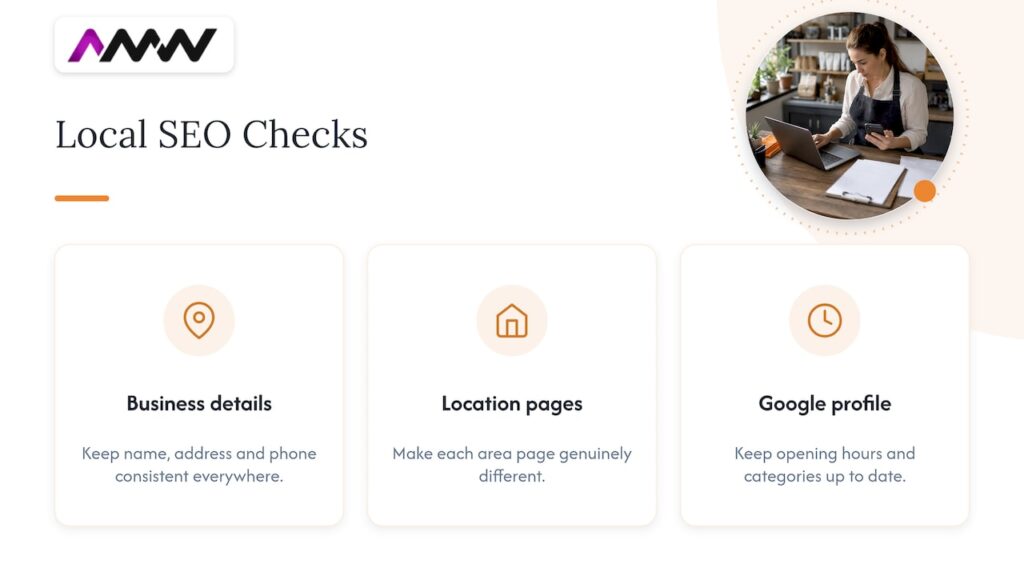
Local SEO is how a small business gets found by people searching for its service nearby: the map results, the “near me” searches and the ordinary results for a service plus a town. For many local businesses it is one of the best value channels, because the work compounds and nobody charges you per click.
This guide covers how Google actually decides local rankings, the seven jobs that move them, and how to measure whether any of it is working.
What is local SEO?
Local SEO is search engine optimisation for searches with a place in them, stated or implied. “Plumber in High Wycombe” states it. “Plumber near me” implies it, and Google fills in the location from the searcher’s device.
The results come in two parts: the map pack, which pulls from Google Business Profiles, and the normal organic results below it, which pull from websites. Good local SEO works on both.
How Google decides local rankings
Google publishes the three factors it uses for local results:
- Relevance: “how well a Business Profile matches what someone is searching for.”
- Distance: “how far each business is from the customer who’s searching.”
- Prominence: “how well-known a business is.”
You cannot change distance. You can change relevance, through your profile and your website, and prominence, through reviews, links and mentions. Google is also clear that money does not come into it: “There’s no way to request or pay for a better local ranking on Google.”
Why local searches are worth chasing
Local searches are smaller but cheaper to win. Here is Google Ads data for November 2026, which shows both the demand and what advertisers pay per click, converted from Google’s US dollar figures at the Bank of England rate of $1.3416 to the pound (2 November 2026):
| Search | Monthly UK searches | Average cost per click |
|---|---|---|
| web design agency | 2,900 | £10.79 |
| web design high wycombe | 90 | £3.21 |
| seo agency | 4,400 | £20.39 |
| seo high wycombe | 70 | £4.76 |
The town level terms have far fewer searches, but each one comes from someone looking for a supplier in a specific place, and far fewer businesses compete for them. For a small business, ranking for ten town level searches is usually worth more than sitting on page three for one national term.
Step 1: Set up your Google Business Profile properly
Your profile is the single biggest local ranking asset you control. Google says: “Businesses with complete and accurate info are more likely to show up in local search results.”
- Choose the most specific primary category that describes what you do, then add secondary categories for other services.
- Add every service with a short description and a price where you can.
- Keep your hours accurate, including holiday hours.
- Add real photographs of your work, your team and your vehicles. Google notes you can “tell the story of your business with photos and videos.”
- Write the description for customers, not for keywords.
If customers do not visit you, you are a service area business. Google’s rule is simple: “If you don’t serve customers at your business address, remove your address from your Business Profile.” You can add up to 20 service areas, and Google says the overall area “shouldn’t be more than about 2 hours of driving time from where your business is based.” We run AMW Media’s own profile this way: no address on show, service areas only.
Our Google Business Profile guide goes deeper on each field.
Step 2: Earn reviews steadily, and answer every one
Google states: “More reviews and positive ratings can help your business’s local ranking.” Reviews also do the selling, because they are the first thing a new customer reads.
- Ask every customer, at the moment the job is finished. Google lets you share a review link or a QR code, and our guide on how to get more Google reviews has wording you can copy.
- Make it easy: one link, sent by text or email, with a line saying what kind of detail helps, such as the service and the town.
- Reply to every review, good and bad. Google advises businesses to “reply to reviews and share your perspective.”
- Never pay for reviews or offer a discount for one. Google treats incentivised reviews as fake content, and fake reviews have been banned in the UK since 6 April 2025.
A steady trickle beats a burst. Ten reviews in a week followed by silence looks odd to customers and to Google.
Step 3: Make your business details consistent everywhere
These listings are called local citations. Your business name, phone number and address, or service area, should match on your website, your Google Business Profile and every directory you appear in. That includes Apple Maps, Bing Places, Yell and any industry directories.
Check what is already out there before you add more. Old listings with an old phone number, or directories that misread an address, send mixed signals. A street name that contains a town name is a common trap: some directories read it as the town and list you in the wrong place.
Step 4: On page SEO: give every service and area its own page
Google can only rank a page for a search if a page answers it. A single “services” page listing everything will struggle against competitors with a dedicated page per service.
- One page per service, written for the customer: what it is, what it costs, how long it takes, and proof you have done it.
- Location pages only where you genuinely work, each with something specific to that area, such as projects completed there, local regulations or travel times. Pages that just swap the town name are thin content.
- Use the words customers use. Check Google Search Console for the searches already finding you, and Google’s Keyword Planner for volumes.
Our service area SEO guide covers how to build location pages that do not read as duplicates.
Step 5: Earn local links and mentions
Prominence comes partly from other websites talking about you. For a local business, the best links are usually the easiest to get:
- Suppliers and trade bodies that list members or partners.
- Local news sites, when you have a genuine story such as a new hire, a community project or a milestone.
- Sponsorships of local clubs and events that credit sponsors online.
- Industry directories that real customers use.
Avoid link packages. Buying links that pass ranking credit breaks Google’s spam policies.
Step 6: Get the technical basics right
- Fast on a phone. Many local searches happen on a phone, often on the move. Check your Core Web Vitals in Search Console.
- Structured data. LocalBusiness schema helps search engines understand your name, area, opening hours and services.
- Click to call and a short enquiry form on every page.
- Search Console set up in your own name, so you can see which searches find you.
Our technical SEO basics guide lists what to check.
Step 7: Measure what matters
- Google Business Profile performance: calls, direction requests and website clicks, all reported inside the profile.
- Search Console: impressions and positions for searches containing your towns and services.
- Enquiries: in GA4 or your CRM, by source. Rankings mean nothing until they become calls and forms.
Check monthly. Local SEO moves in steps as Google recrawls your pages and your profile builds reviews.
Local SEO tools worth using
You do not need expensive software to start. These cover most of the job:
- Google Business Profile: performance data for calls, direction requests and website clicks.
- Google Search Console: the searches that already show your site, and where you rank for them.
- Google Keyword Planner: search volumes for services plus towns, useful for local keyword research.
- PageSpeed Insights: how fast your pages load on a phone.
- A citation tool such as BrightLocal: to find and fix inconsistent listings across local directories.
Multi location businesses
If you have more than one branch that customers visit, each location needs its own verified Business Profile and its own location page on your website with that branch’s name, address and phone number. If you serve several areas from one base, use one profile with service areas instead, and build location pages only for the places where you have real work to show.
Local SEO and AI search
People now ask ChatGPT, Gemini and Google’s AI answers for recommendations, and those tools lean on the same signals: reviews, directory listings and well known third party sites. We track 35 questions about marketing agencies across these tools. Over the last 30 days the most cited sources were Clutch, DesignRush, LinkedIn and YouTube. For your sector the sites will differ, so search your own service the way a customer would and note which sites the answers cite. Being listed accurately on those sites is now part of local SEO.
Local SEO checklist
- Google Business Profile claimed, verified and complete.
- Most specific primary category chosen.
- Every service listed with a description.
- Address removed if customers do not visit you; service areas set.
- Real photographs added and refreshed.
- A review request sent after every finished job.
- Every review answered.
- Name, phone and area identical on every listing.
- One page per service on your website.
- Location pages only where you genuinely work, each with specific detail.
- LocalBusiness structured data in place.
- Search Console and GA4 set up in your own name.
- Monthly check of calls, direction requests, impressions and enquiries.
How much does local SEO cost?
You can do much of the above yourself for the price of your time. If you would rather hand it over, our SEO starts from £349 a month excluding VAT, and a Google Business Profile setup starts from £500, both listed on our pricing page. Our guide to what SEO costs in the UK breaks down what each budget buys.
How we approach local SEO at AMW Media
We start with the profile and the website pages, because those are the parts a business owns outright. Then we build reviews into the way the business already works, usually an automatic request from the CRM after each job, so the flow never depends on someone remembering. Everything is reported from your own Search Console, GA4 and Business Profile, not from a tool you cannot see. See our SEO service or how we work as an SEO agency in High Wycombe.
Frequently asked questions
What is local SEO for small businesses?
It is the work that helps a small business appear when people nearby search for its service: a complete Google Business Profile, steady reviews, consistent listings, a page for each service, and local links.
How do I get more Google reviews for free?
Ask every happy customer straight after the job, with a direct review link or QR code, and reply to every review you receive. Consistency matters more than volume.
Can you pay to get good Google reviews?
No. Google treats incentivised reviews as fake content, and fake reviews have been banned in the UK since 6 April 2025.
Does local SEO work for a business without premises?
Yes. Set up your Business Profile as a service area business, remove the address if customers do not visit, and add the areas you serve. Google allows up to 20.
How long does local SEO take?
It depends on your competition and where you start. Some profile and website fixes show within weeks of Google recrawling them. Reviews and links build over months.
Can I do local SEO myself?
Yes. Most of the checklist above needs time rather than tools. Get help when the time runs out or when the results stall.
Our SEO manager runs the technical checks by hand, looks at who is beating you, and sends back the order to fix it in. Free, and you keep it either way.

Founded AMW Media in 2024 and runs strategy, paid media and the CRM builds. The reason everything here is in house and measured in revenue. Meet the team.