
 Black Steel Doors
 Woodstock Campers
 Phillips Joinery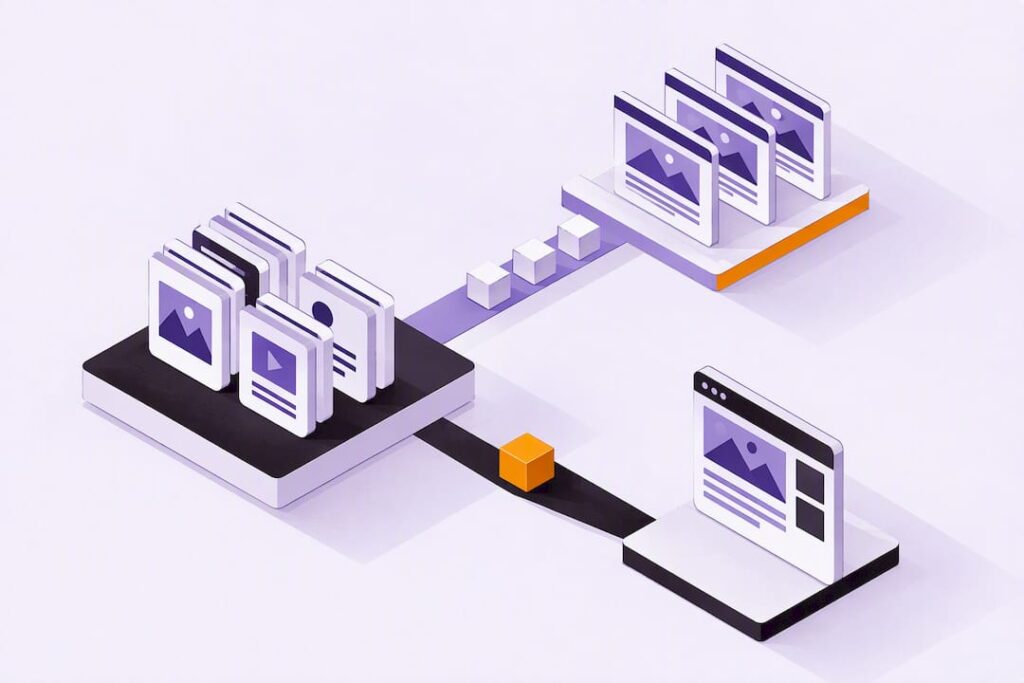
A headless CMS gives you developer flexibility, lets one piece of content reach every channel without duplication, and improves performance because front ends stay lean and independently deployable. It suits projects with multiple channels, commerce needs, personalisation requirements, or several brands sharing one content backbone. Smaller, single-site builds often don’t need the extra moving parts.
TL;DR:
- Choose static generation for stable pages and server side rendering for dynamic or personalized pages; a CDN supports delivery, but architecture determines performance.
- Budget for front end work, API integration, and preview tools; content reuse may offset higher setup costs when mid sized teams serve three or four channels.
- Secure public content APIs with rate limits and server side access checks; headless architecture shifts exposure to the API layer rather than removing security risks.
- Test editorial previews before choosing a platform, because visual live editing ranges from polished built in tools to custom engineering.
Table of Contents
- 1. What is a headless CMS?
- 2. Headless vs traditional CMS: the differences that actually matter
- 3. The core benefit groups, at a glance
- 4. Developer flexibility and faster front-end delivery
- 5. Omnichannel delivery and content reuse at scale
- 6. Performance and SEO benefits of rendering and CDN strategy
- 7. Scalability and security advantages
- 8. Editorial experience, integrations and content operations
- 9. Cost, operational overhead and realistic total cost of ownership
- 10. How to choose a headless CMS: selection criteria that matter
- 11. When headless is the right choice: practical use cases
- 12. How we approach headless projects
- How we can help you build a headless solution
- FAQ
- Sources
1. What is a headless CMS?
A headless CMS stores content as structured data, typically JSON, and delivers it through an API rather than baking it into a fixed template. There’s no built-in front end. Instead, you decide how and where that content gets rendered, which means one content record can feed completely different experiences without being copied or rewritten.
As Salesforce’s overview of headless architecture explains, structured content is delivered via APIs to multiple channels, which is what makes the publish-once, deliver-everywhere model possible.
That separation opens the door to a genuinely wide range of front ends pulling from the same source:
- A marketing website built with React or Next.js
- A native mobile app using the same content records
- Digital signage in a retail store
- A voice assistant skill reading product descriptions aloud
2. Headless vs traditional CMS: the differences that actually matter
Traditional platforms like WordPress bundle the content editor and the template renderer together, which is convenient until you need that content somewhere templates can’t reach. Headless systems split the two apart deliberately. A few practical consequences follow:
- Deployment becomes independent: you can update the front end without touching the content layer, or vice versa.
- Preview and live editing need extra engineering in a headless setup, since there’s no built-in template to render a draft against.
- Developer tooling opens up: you’re free to pick React, Vue, Astro, or whatever framework suits the project, rather than working inside a CMS’s own templating language.
- A traditional CMS still makes sense for a single website with a small team and no plans to reuse content elsewhere; the simplicity often outweighs the flexibility you’d be paying for.
There’s more detail available on a popular middle ground approach in the piece on headless WordPress, which keeps a familiar editing experience while decoupling the front end.
3. The core benefit groups, at a glance
The rest of this article works through each advantage in turn, so you can jump to what matters for your project:
- Developer flexibility and faster front-end delivery
- Omnichannel content reuse
- Performance and SEO
- Scalability and security
- Editorial workflow and integrations
- Realistic cost and total cost of ownership
4. Developer flexibility and faster front-end delivery
Once content and presentation are separated, your developers stop being constrained by whatever templating system the CMS vendor built. You can choose React, Next.js, Astro, or any framework that suits the project, and mix rendering strategies (static generation for marketing pages, server-side rendering for personalised ones) without touching the content model.
This also changes how teams work day to day. Content editors can publish through the CMS’s own interface while developers build and ship front-end changes in parallel, because neither side is blocked waiting on the other. Repositories tend to stay cleaner too, since front-end code isn’t tangled up with CMS plugins and theme files.
Pro Tip: Agree on your rendering strategy (static, server-rendered, or hybrid) before you pick a framework. It shapes almost every decision that follows.
5. Omnichannel delivery and content reuse at scale
Structured content means you write something once and it can appear correctly everywhere it’s needed, rather than being copied and adjusted for each new channel. According to Salesforce’s explanation of headless benefits, this publish-once, deliver-everywhere model is one of the clearest advantages for organisations running several channels or brands.
It also solves a translation and consistency problem that plagues multi-site setups. A single source of truth for each content item means a product description, once translated, stays translated everywhere it’s reused rather than needing separate edits per site.
Common examples include:
- A mobile app and website sharing the same product catalogue
- Email campaigns pulling live content blocks instead of static copy
- Digital signage in stores updating automatically when stock content changes
- Ecommerce listings feeding both a storefront and a marketplace integration
6. Performance and SEO benefits of rendering and CDN strategy
Performance gains from headless architecture don’t come from the CMS itself. They come from how you render and deliver the content it provides. Google’s guidance on rendering for content-driven apps explains that static site generation and server-side rendering, paired with a CDN, are the levers that actually move Core Web Vitals and crawlability.
Static generation suits content that doesn’t change often, since pages can be built in advance and served instantly from the edge. Server-side rendering fits dynamic or personalised pages better, trading a little speed for freshness. Many teams blend the two.
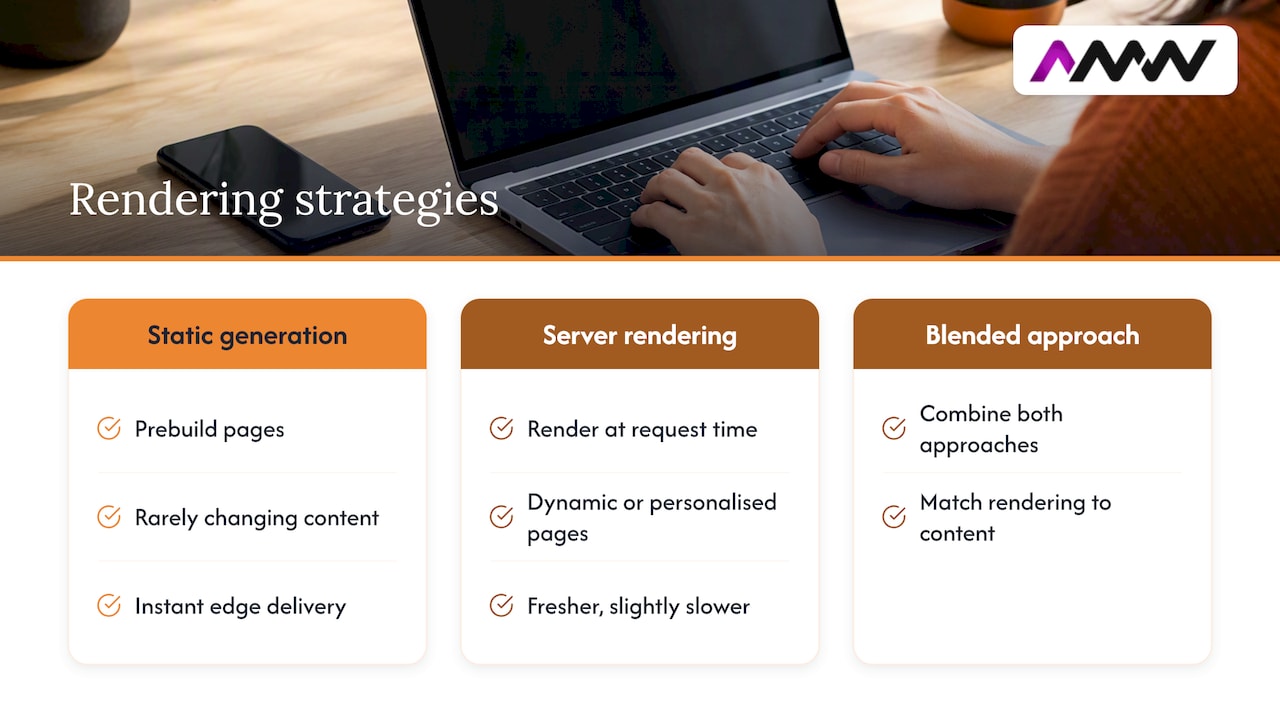
The point worth remembering: rendering strategy, not the CMS brand, determines most of your performance outcome. Get that wrong and a headless setup can end up slower than the monolith it replaced. Practical fixes are covered in a relevant guide to Core Web Vitals errors.
7. Scalability and security advantages
Decoupling content from presentation lets you scale each piece independently: a traffic spike on your storefront doesn’t require scaling the CMS admin interface too, and vice versa. It also reduces how exposed your editing environment is, since the admin UI doesn’t need to sit on the same public-facing infrastructure as your website.
None of that is automatic, though. OWASP’s guidance on broken access control is blunt about this: moving to an API-first architecture doesn’t remove security risk, it relocates it to the API layer, and teams need to secure it properly. A sensible checklist:
- Apply rate limiting to every public-facing content API
- Enforce access control server-side, never just in the front end
- Centralise authorisation (AuthZ) rather than scattering permission checks across services
- Default to deny rather than allow when a permission is unclear
8. Editorial experience, integrations and content operations
Structured content models make localisation genuinely manageable: translations and regional variants live as fields within the same content item, rather than as entirely separate pages that drift out of sync. Salesforce notes that this structural approach is what makes personalisation operationally realistic at scale.
Visual, in-context preview varies a lot between products. Some offer polished live-editing experiences; others need custom tooling to bridge the gap, so it’s worth testing this before committing.
Headless content also slots neatly into a composable stack:
- Feeds customer data platforms and marketing automation tools directly via API
- Connects to ecommerce platforms without duplicating product content
- Works alongside existing design and content production workflows, including video and photography production
9. Cost, operational overhead and realistic total cost of ownership
The upfront bill for a headless build is usually higher than a traditional CMS, because someone has to build the front end, the preview tooling, and the integrations that a monolithic platform gives you out of the box. That’s the trade you’re making.
- Expect higher initial engineering cost, covering front-end development, API integration and preview workflows.
- Expect lower ongoing cost per channel once content reuse kicks in, since new channels draw on the same content rather than needing fresh builds.
- Estimate ROI by counting channels and release frequency. Salesforce’s framing suggests that once you’re running three or four distinct channels, reuse savings tend to outweigh the extra engineering for mid-sized teams.
10. How to choose a headless CMS: selection criteria that matter
A shortlist worth running through before you commit to a platform or an in-house build:
- API support: confirm REST and GraphQL availability, plus SDKs and real code examples rather than just documentation
- Delivery options: check CDN and edge caching support, and how genuinely usable preview is for editors
- Security features: look for server-side access control, rate limiting and support for centralised AuthZ, in line with OWASP’s access control guidance
- Accessibility: remember that semantic markup and accessible design remain your front end’s responsibility; W3C’s accessibility guidance is a sensible baseline to build against
- Pricing and lock-in: check whether pricing scales with API calls, users, or content volume, and how easily content can be exported if you switch later
User reviews on platforms like G2 can be a useful reality check too, since outcomes vary a lot by implementation quality, not just by vendor.
11. When headless is the right choice: practical use cases
Headless architecture earns its complexity in specific situations rather than universally:
- Multi-channel publishing, where the same content needs to reach a website, app and other surfaces
- Ecommerce, where product content needs to feed a storefront, marketplace listings and marketing emails consistently
- Personalisation, where content variants need to be served dynamically rather than hard-coded per page
- Multi-brand or multi-site groups sharing a content backbone across several front ends
- Apps and kiosks, where there’s no traditional webpage to render at all
A single-site project with a small team and a tight budget often does better with a traditional CMS, where the simplicity saves more than the flexibility would earn.
12. How we approach headless projects
Our stance: most headless projects fail not because the architecture is wrong, but because nobody planned the content model before building anything. We start with how content will actually be reused across channels, then pick rendering and delivery around that, pairing static generation with CDN caching wherever content doesn’t need to be dynamic.
The same thinking applies well for situations needing one set of assets to work across a website, social channels and paid campaigns without duplicating effort.
Good architecture decisions are made before a single line of front-end code gets written.
— Amir
How we can help you build a headless solution
If you’re weighing up a headless migration or a fresh build, the part that usually eats the budget isn’t the CMS licence, it’s the front-end work, the content modelling and the integrations around it. That’s where we spend most of our time with clients, so the architecture decisions get made properly before anyone starts coding.
Our team can help with:
- Content modelling and API-first delivery planning for web design and development projects
- Rendering strategy, including pairing static generation with CDN caching for faster load times
- Video, photography and other content production built to work across multiple channels from day one
- Ongoing SEO support to make sure a new architecture doesn’t cost you rankings during migration
For specialist photography and content production support, partners like Dock Street Studio offer studio facilities suitable for campaign shoots.
Have a look at our full range of services or get in touch to talk through what a headless build would actually involve for your project.
FAQ
What is the difference between headless CMS and traditional CMS?
A traditional CMS bundles the content editor and the website template together, so content only renders through its own built-in front end. A headless CMS stores content separately and delivers it via API, letting you build any front end you choose and reuse the same content across multiple channels.
What are the top CMS platforms to consider?
There’s no single definitive ranking, since the right platform depends on your channel count, team size and technical requirements. Decision-makers typically compare options on API support, pricing structure, preview tooling and how well the platform handles the specific use case, commerce, multi-brand, or personalisation, that matters most to them.
Is Prismic a headless CMS?
Yes, Prismic is built as a headless CMS, storing content as structured data and delivering it to front ends via API rather than through built-in templates.
What’s the best headless CMS for large enterprise content management?
The right choice for a large organisation depends heavily on existing tooling, compliance needs and team structure rather than any single “best” option. Enterprises generally prioritise strong API support, centralised access control in line with OWASP’s access control guidance, and integration support for existing marketing and commerce platforms.
How does a headless CMS actually work day to day?
Content is created and stored in the CMS as structured data, then requested by whatever front end needs it through an API call, typically returning JSON. Developers build the rendering layer separately, choosing between static generation, server-side rendering, or a hybrid depending on how dynamic each page needs to be.
Sources
- Rendering for content-driven web apps | Google for Developers
- What is a headless CMS? Architecture, benefits & use cases | Salesforce
- A01 Broken Access Control – OWASP Top 10:2025
- Accessibility introduction | W3C WAI
Recommended
- Headless WordPress for developers and marketers explained
- Why use SaaS solutions: a practical guide for 2026
Our free marketing audit looks at your site, your ads and your content, and comes back with a 30 day plan. No pitch deck.

Founded AMW Media in 2024 and runs strategy, paid media and the CRM builds. The reason everything here is in house and measured in revenue. Meet the team.