
 Black Steel Doors
 Woodstock Campers
 Phillips Joinery
TL;DR:
- Most businesses rely heavily on SaaS for its quick deployment and flexible scaling. However, unchecked adoption can lead to high costs, security risks, and complex integrations. Regular audits and disciplined management ensure SaaS remains a cost-effective and strategic tool.
Software as a Service (SaaS) is defined as cloud-based software delivered over the internet on a subscription basis, removing the need for local installation or in-house server infrastructure. Understanding why use SaaS solutions matters because 81% of organisations have already automated at least one business process using SaaS applications as of 2026. That figure tells you something important: SaaS is no longer a forward-thinking experiment. It is the operating standard. Whether you run a five-person agency or a 200-seat operation, cloud software gives you access to enterprise-grade tools without the enterprise-grade IT bill. This guide covers the real benefits, the genuine pitfalls, and the practical decisions that separate businesses that thrive with SaaS from those that quietly drown in subscription fees.
What are the primary benefits of using SaaS solutions?
SaaS solutions reduce the cost and complexity of running business software. That is the headline benefit, and everything else flows from it.
Lower costs from day one
SaaS drastically lowers upfront investment, letting businesses start using software the same day with free tiers or trials. There is no hardware to buy, no licence to negotiate for months, and no IT team needed to manage installation. You pay a monthly or annual subscription and get going. For a business owner watching cash flow, that is a meaningful difference.
Automatic updates and zero maintenance
The vendor handles every update, security patch, and infrastructure upgrade. Your team never loses a Friday afternoon to a software migration. This matters more than it sounds: traditional on-premise software often falls behind on security patches because updates require planned downtime and IT resource. With SaaS, the product improves in the background while you focus on the work.
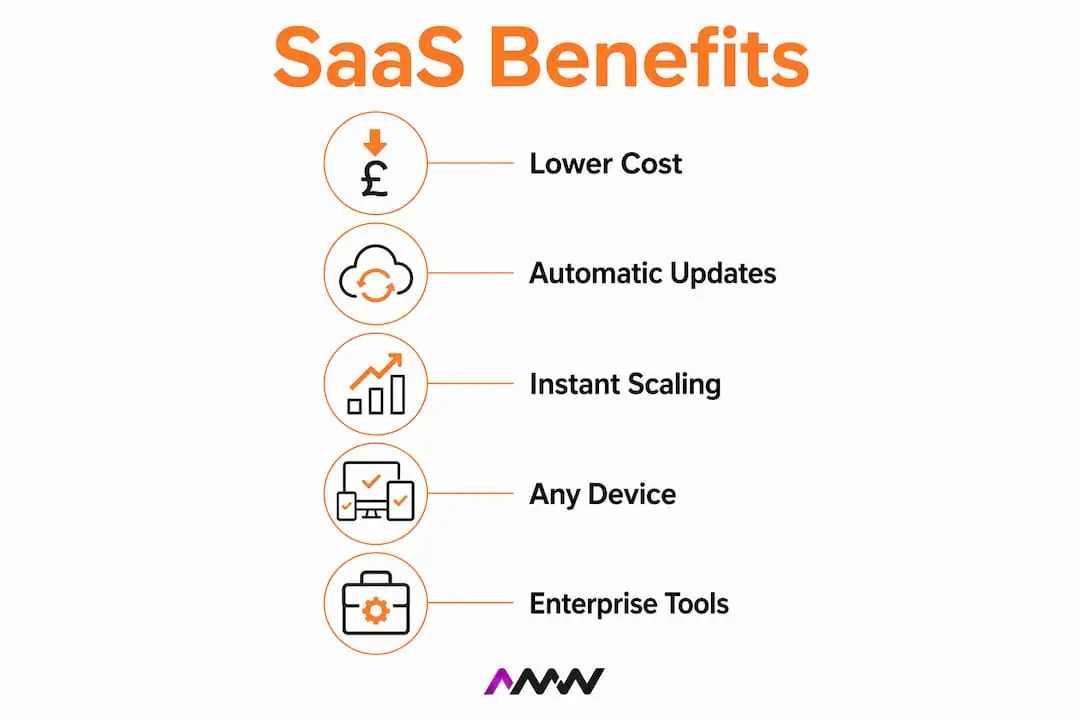
Instant scaling up or down
Adding a new team member takes minutes. Removing a seat when someone leaves takes the same. SaaS pricing is built around this flexibility, which makes it far easier to manage costs during periods of growth or contraction. A retail business hiring seasonal staff, for example, can add ten users in november and remove them in january without penalty clauses or renegotiation.
Access from any device, anywhere
Cloud accessibility means your team can work from the office, from home, or from a client site without any change to their workflow. This is not just a convenience feature. It directly affects recruitment, because location-independent working is now a baseline expectation for many professionals.

Enterprise-grade tools for smaller teams
Small businesses gain enterprise-level capabilities through SaaS without large IT departments or hardware investments. A ten-person marketing team can use the same analytics, CRM, and project management tools as a FTSE 100 company. SaaS levels the playing field in a way that was simply not possible with traditional software licensing. Check out examples of SaaS tools that are already reshaping how modern businesses operate.
Pro Tip: Before committing to any SaaS subscription, run the free trial with your actual workflows, not a demo scenario. The gap between a polished demo and daily use is where most poor purchasing decisions hide.
What challenges should businesses expect when adopting SaaS?
The advantages of cloud software are real, but so are the traps. The biggest mistake businesses make is treating SaaS adoption as a passive process, something that just happens as teams sign up for tools they need.
SaaS sprawl is a genuine problem
The average mid-size company operates over 130 SaaS tools. That number is not a badge of honour. It is a symptom of unmanaged adoption, where individual teams or employees sign up for tools without central oversight. The result is duplicated functionality, wasted spend, and a security risk from forgotten accounts with live access to company data.
The total cost of ownership rises fast
Individual SaaS subscriptions look affordable. Thirty of them look less so. When you stack per-seat pricing across multiple tools, the monthly bill can exceed what a custom-built solution would cost over three years. This is not a reason to avoid SaaS, but it is a reason to audit your stack regularly and cut tools that no longer earn their place.
Integration debt accumulates quietly
Integration debt accumulates as companies build complex automation chains connecting various SaaS tools. A workflow that runs through four different platforms via automation tools like Zapier works fine at first. As the business changes, maintaining those connections becomes a job in itself. Each new tool added to the chain increases the fragility of the whole system.
Here are the most common pitfalls to watch for:
- Accidental adoption: employees sign up for tools without IT or management awareness
- Vendor lock-in: data stored in proprietary formats that are difficult to export
- Connectivity dependence: SaaS requires a reliable internet connection; outages affect the whole team
- Subscription creep: small monthly fees accumulate into a significant annual cost
- Security gaps: inactive accounts with live access to sensitive data
Pro Tip: Run a SaaS audit every six months. List every active subscription, who owns it, how many seats are in use, and what it costs annually. Most businesses find at least two or three tools they can cut immediately.
SaaS vs traditional software: when does custom development win?
The build vs buy decision is one of the most consequential choices a growing business makes. The answer is not always SaaS, and it is not always custom. It depends on what the software is actually doing for your business.
The core principle: commodity vs competitive advantage
The clearest framework for this decision is simple. Choose SaaS for common, commodity workflows and custom software for competitive advantages or core products. If the software handles a function that every business in your industry uses in roughly the same way, such as invoicing, email, or HR records, SaaS is almost always the right call. If the software is the product, or if it encodes a workflow that differentiates you from competitors, custom development deserves serious consideration.
Where the cost crossover happens
SaaS licensing costs often surpass custom software amortised build costs for companies with 50 or more users, or where subscription fees exceed £5,000 per month over a three-year period. That crossover point is the moment when the economics of SaaS stop working in your favour. A business paying £6,000 per month for a CRM platform across 80 seats is spending £216,000 over three years. A custom-built equivalent, built once and owned outright, may cost less and fit the business better.
How AI is changing the calculation
AI-powered development tools have reduced custom software build times by 30 to 40% compared to 2020. That shift matters because the traditional argument for SaaS was speed: you could have it running today, whereas custom development took months. That gap is narrowing. Custom software is no longer the slow, expensive option it once was, which makes the build vs buy decision more nuanced than it was even three years ago.
The table below summarises the key decision factors:
| Factor | Favour SaaS | Favour custom development |
|---|---|---|
| Team size | Fewer than 50 users | 50 or more users |
| Monthly spend | Under £5,000 | Over £5,000 |
| Workflow type | Commodity, standard process | Unique, differentiating process |
| Data ownership | Acceptable to store with vendor | Must own and control fully |
| Time to deploy | Immediate need | Can plan a 3 to 6 month build |
| Integration needs | Light, standard connections | Deep, complex, custom |
The role of data ownership
Data ownership is the factor most businesses underestimate. With SaaS, your data lives on the vendor’s infrastructure. Most reputable vendors offer data export, but the format, completeness, and ease of that export varies enormously. If your data is central to your business model, understanding exactly how you can retrieve it before you sign up is non-negotiable.
How do you adopt and manage SaaS solutions effectively?
The businesses that get the most from SaaS are not the ones with the most tools. They are the ones with the fewest tools that actually get used. Deliberate adoption is the difference between a well-run stack and an expensive mess.
Start with SaaS, then build where it matters. SaaS adoption works best as a staged process: use SaaS to learn your workflows, then migrate to custom solutions once your operational needs are stable and well-understood. Trying to build custom software before you know exactly what you need is expensive and usually wrong.
Assign ownership to every tool. Every SaaS subscription should have a named owner inside the business. That person is responsible for reviewing usage, managing seats, and deciding whether the tool stays at renewal. Without ownership, tools persist long after they stop being useful.
Negotiate pricing before renewal, not during. Vendors expect negotiation. Asking for a discount at renewal is standard practice, and most will offer one rather than lose the account. The clearest sign to migrate away from SaaS is finding yourself negotiating pricing tiers repeatedly. That pattern signals the tool no longer fits your business model.
Cap your tool count deliberately. Experienced businesses avoid SaaS sprawl by setting a ceiling on the number of tools they will run and monitoring per-seat pricing rigorously. A cap forces prioritisation and prevents the slow accumulation of redundant subscriptions.
Treat integration automation with caution. Automation tools that connect your SaaS platforms are useful but fragile. Every connection you add is a dependency that can break. Keep automation chains short, document them clearly, and review them whenever you change a connected tool. For automated marketing strategies that hold up at scale, the principle is the same: fewer, better-maintained connections outperform complex chains every time.
Pro Tip: When evaluating a new SaaS tool, ask the vendor for a data export sample before you sign up. If they cannot produce one quickly, that tells you everything you need to know about how easy it will be to leave.
Key takeaways
SaaS solutions deliver the greatest value when adopted deliberately, matched to commodity workflows, and reviewed regularly to prevent cost and complexity from outpacing the benefit.
| Point | Details |
|---|---|
| SaaS lowers barriers to entry | Businesses can start using enterprise-grade software the same day with no upfront hardware costs. |
| Sprawl is the biggest hidden risk | The average mid-size company runs 130+ tools; unchecked adoption drives wasted spend and security gaps. |
| Cost crossover happens at scale | SaaS becomes more expensive than custom development around 50 users or £5,000 per month in fees. |
| Custom development is faster than it was | AI tools have cut build times by 30 to 40%, making custom software a realistic option for more businesses. |
| Deliberate management is non-negotiable | Assigning tool ownership and auditing usage every six months prevents subscription creep and integration debt. |
What I have learned from watching businesses get SaaS wrong
Most articles about SaaS read like vendor brochures. They list the benefits, gloss over the risks, and leave you feeling vaguely optimistic without any clearer idea of what to actually do. That is not useful.
What I have seen, working with businesses across different sectors, is that SaaS adoption fails in a predictable way. It starts well. A team picks up a tool that solves a real problem. Then another team picks up a different tool. Then someone integrates them. Then someone else adds a third tool to fill a gap the integration created. Within two years, the business is running 40 subscriptions, nobody knows who owns half of them, and the monthly bill is quietly enormous.
The businesses that avoid this are not the ones with the most technical sophistication. They are the ones that treat SaaS like any other operational cost: with oversight, ownership, and regular review. They also know when to stop buying and start building. The build vs buy decision framework is not complicated, but it does require honesty about what your software is actually doing for the business.
My honest view is that SaaS is excellent for most businesses at most stages. The advantages of cloud software are real, and the speed of deployment is hard to beat. But the businesses that get the most from it are the ones that stay in control. They audit, they negotiate, they cut what does not work, and they know when a custom solution would serve them better. That discipline is what separates a well-run operation from one that is paying for 130 tools and using 40 of them. If you would rather have this done for you, our Reading marketing page starts with what £12.50 a lead actually bought Woodstock Campers over thirteen months.
Amir
How AMW Media can help you get SaaS right
Choosing the right software approach for your business is rarely simple. AMW Media works with ambitious brands to cut through that complexity, whether that means advising on SaaS adoption, building custom web and software solutions, or running the digital marketing that makes the whole operation grow.
The team at AMW Media holds certifications across Google, Meta, Shopify, WordPress, and Framer, and covers everything from SEO and PPC to social media management and content production. If you are weighing up SaaS against custom development, or you simply want a clearer picture of where your digital spend is going, AMW Media is worth a conversation. Get in touch at amwmedia.co.uk and let the team help you build something that actually fits.
FAQ
What does SaaS stand for?
SaaS stands for Software as a Service. It refers to cloud-based software delivered over the internet on a subscription basis, without requiring local installation or on-site servers.
Why choose SaaS over traditional software?
SaaS removes upfront hardware costs, handles updates automatically, and lets businesses scale users up or down without renegotiating licences. It is the faster, lower-risk starting point for most business software needs.
At what point does custom software become cheaper than SaaS?
SaaS licensing costs typically exceed custom software build costs for businesses with 50 or more users, or where monthly subscription fees surpass £5,000. Beyond that crossover, a custom-built solution often delivers better value over a three-year period.
What is SaaS sprawl and why does it matter?
SaaS sprawl is the uncontrolled accumulation of software subscriptions across a business. The average mid-size company runs over 130 SaaS tools, creating wasted spend, security risks from inactive accounts, and complex integration maintenance.
How do I know when to move from SaaS to custom software?
The clearest signal is repeatedly negotiating pricing tiers with your vendor. That pattern indicates the tool no longer fits your business model and the economics of staying are working against you.
Recommended
- Examples of SaaS tools every business should know in 2026 | AMW Media
- Technology & SaaS Marketing Agency | AMW Media
- Why use agency services to grow your brand in 2026
- SaaS & Business Automation Solutions London | AMW Media | AMW Media
Our free marketing audit looks at your site, your ads and your content, and comes back with a 30 day plan. No pitch deck.

Runs the business alongside Amir: contracts, onboarding and making sure every client knows what is happening and when. Meet the team.